Migrating without losing your search traffic
Every migration dips. The store that recovers and the store that never does look identical for ten days. Here is how the redirect map gets built, tested and read — and what each of the first six weeks should look like.
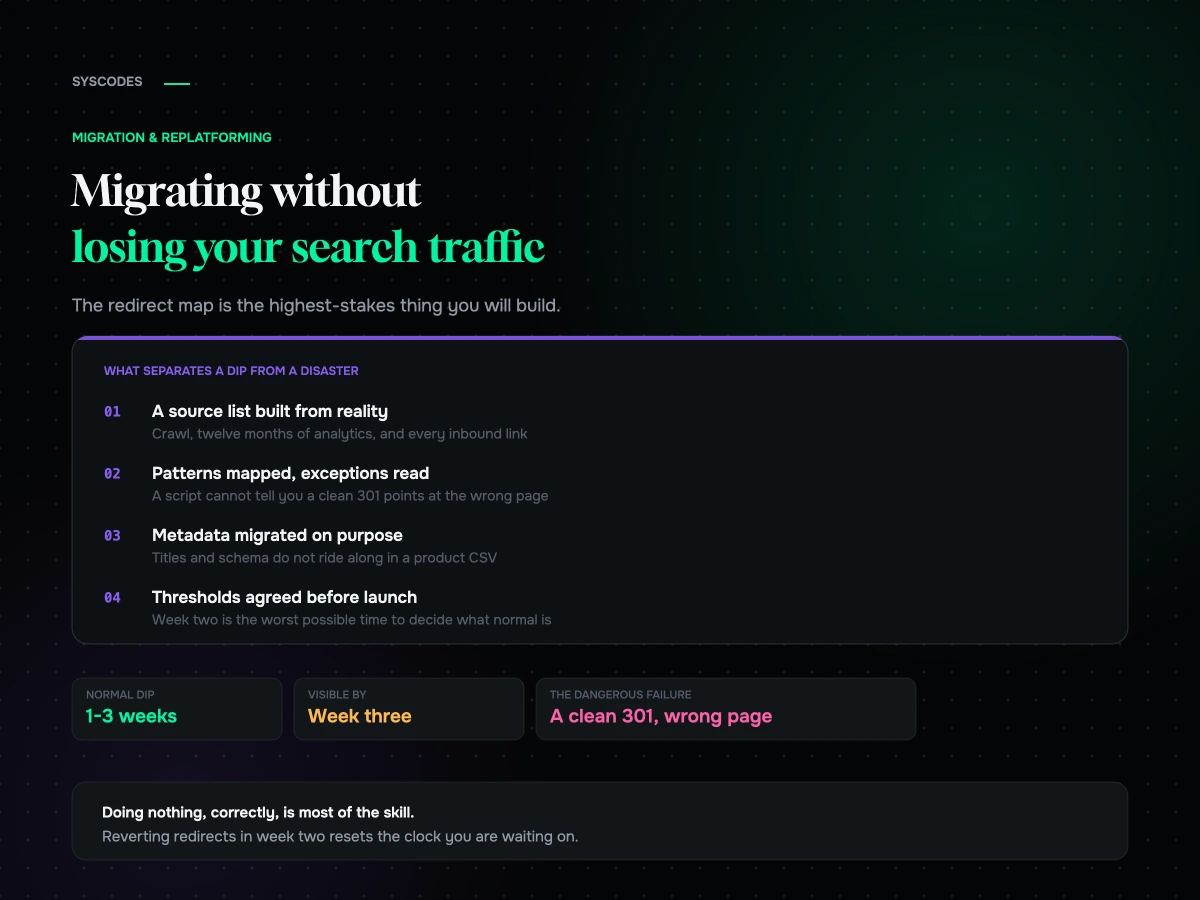
Every migration loses some search traffic. That is not the interesting part. The interesting part is that a store which loses a fifth of its organic sessions for two weeks and a store which loses a fifth permanently look completely identical for the first ten days, and most brands cannot tell which one they are looking at until the difference is expensive.
We have run migrations that dipped and recovered on schedule, and we have been called in to repair ones that did not. The repairs are always the same shape: the redirects were built, they were even tested, and they were tested in a way that could not detect the thing that was wrong.
So this is the version with the testing in it.
Why traffic falls even when nothing is broken
When you change every URL on a site, you are asking a search engine to re-derive a model of your business that took it years to build. It has to recrawl, follow each redirect, decide the new URL is the same page, and move the accumulated authority across. That takes time, and it happens page by page rather than all at once.
While it is happening, your rankings wobble. Pages drop, come back, drop again. Some URLs get reindexed in three days and some take five weeks. Aggregate that across a few thousand pages and you get a dip: real, unavoidable, and not a sign of anything wrong.
What decides whether it recovers is whether the map you handed over is correct. A search engine following a 301 to the wrong page does not know it is wrong. It does exactly what you told it, permanently.
Build the source list from reality, not from your sitemap
Most redirect maps start from the wrong place. Somebody exports the sitemap, and the sitemap is a list of what you believe exists.
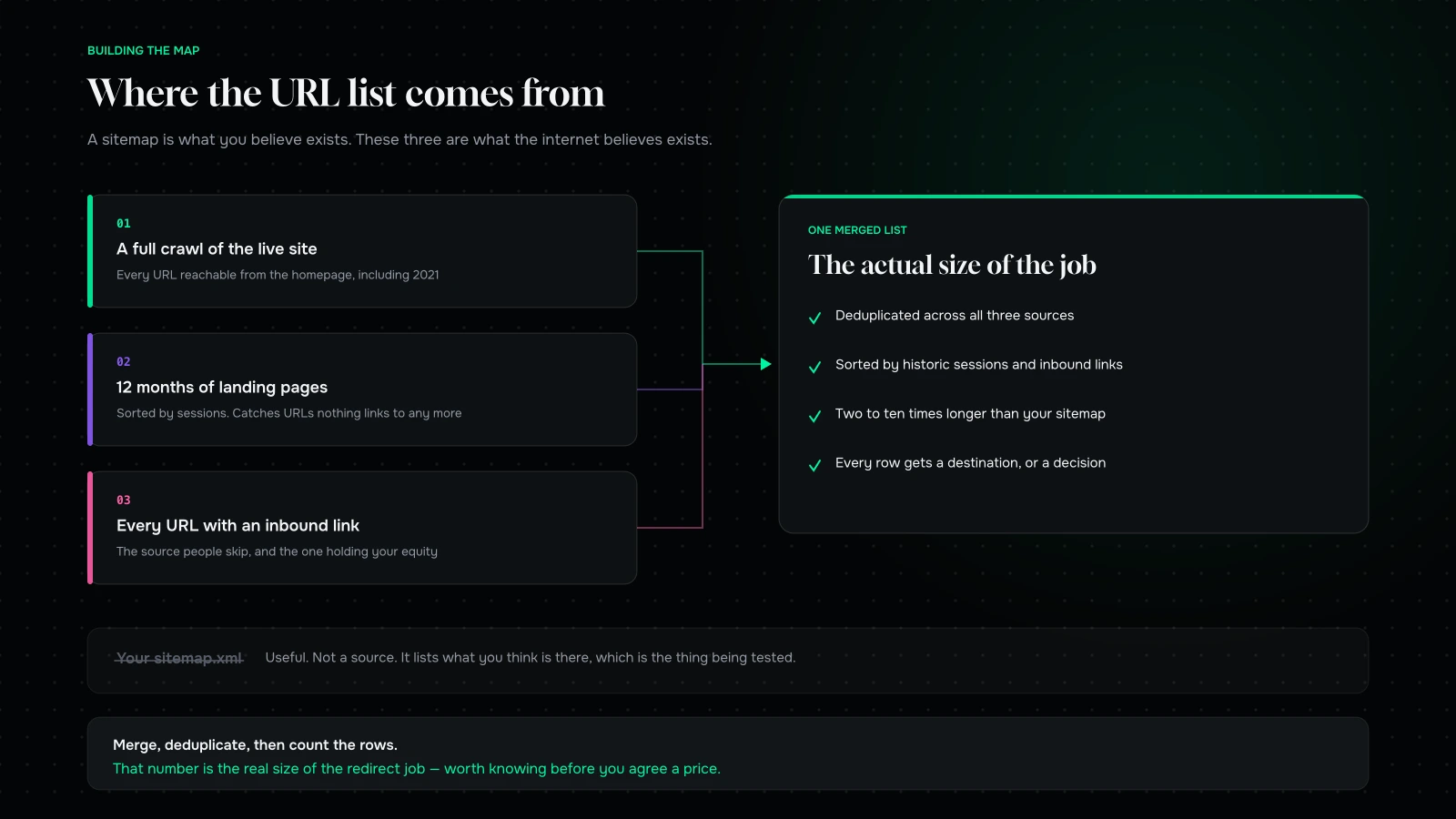
Pull from three places and merge them.
A full crawl of the live site. Every URL a crawler can reach from your homepage, including the ones nobody has looked at since 2021. Paginated collection pages, filtered views, old campaign landing pages, PDFs.
Twelve months of landing pages from analytics. Sorted by sessions, not by pageviews. This catches URLs that receive traffic but are no longer linked from anywhere on the site — which is exactly the category a crawl misses and exactly the category that is earning you money.
Every URL with an inbound link. From whichever backlink tool you have. This is the source people skip and it is the one holding your equity. A single review post from 2019 pointing at a product URL is worth more than forty internal links, and if that URL 404s you have thrown away the reason you rank at all.
Merge, deduplicate, and you will have somewhere between two and ten times as many URLs as your sitemap listed. That number is the actual size of the job, and it is worth knowing before you agree a price.
Map by pattern, then work the exceptions by hand
The structural disagreements between two platforms are predictable, so most of the map writes itself.
| Old pattern | New pattern | Risk |
|---|---|---|
| `/product/{slug}/` | `/products/{slug}/` | Low — mechanical |
| `/product-category/{slug}/` | `/collections/{slug}/` | Low, if collections mirror categories |
| `/product-tag/{slug}/` | Judgement | High — most tags should not become collections |
| `/shop/?filter=` | Collection or search | High — filters rarely map one to one |
| `/{page}/` | `/pages/{page}/` | Low |
| `/blog/{year}/{month}/{slug}/` | `/blogs/news/{slug}/` | Medium — date structure disappears |
| Paginated `/page/2/` | First page of the equivalent | Low, but do not forget them |
| Feeds, PDFs, uploads | Case by case | Medium — often forgotten entirely |
Tags are where the judgement lives. A store with two hundred product tags does not need two hundred collections. Look at which tags have traffic or links, promote those, and let the rest resolve to the nearest sensible parent. Creating two hundred thin collection pages to satisfy a redirect map is how you trade one problem for another.
The other judgement call is filtered URLs. If `/shop/?colour=black&size=l` has been indexed and is earning traffic, it needs a destination that is genuinely about black size L products. If it has not, redirect the pattern to the parent collection and move on.
Testing a redirect map properly
Spot-checking a dozen URLs is not testing. Here is what testing means.
Take the entire merged source list. Request every single URL against the new site — a staging environment if you can point the redirects there, production immediately after cutover if you cannot. For each one, record three things: the final status code, the number of hops it took, and the final destination URL.
Then hunt four failure modes.
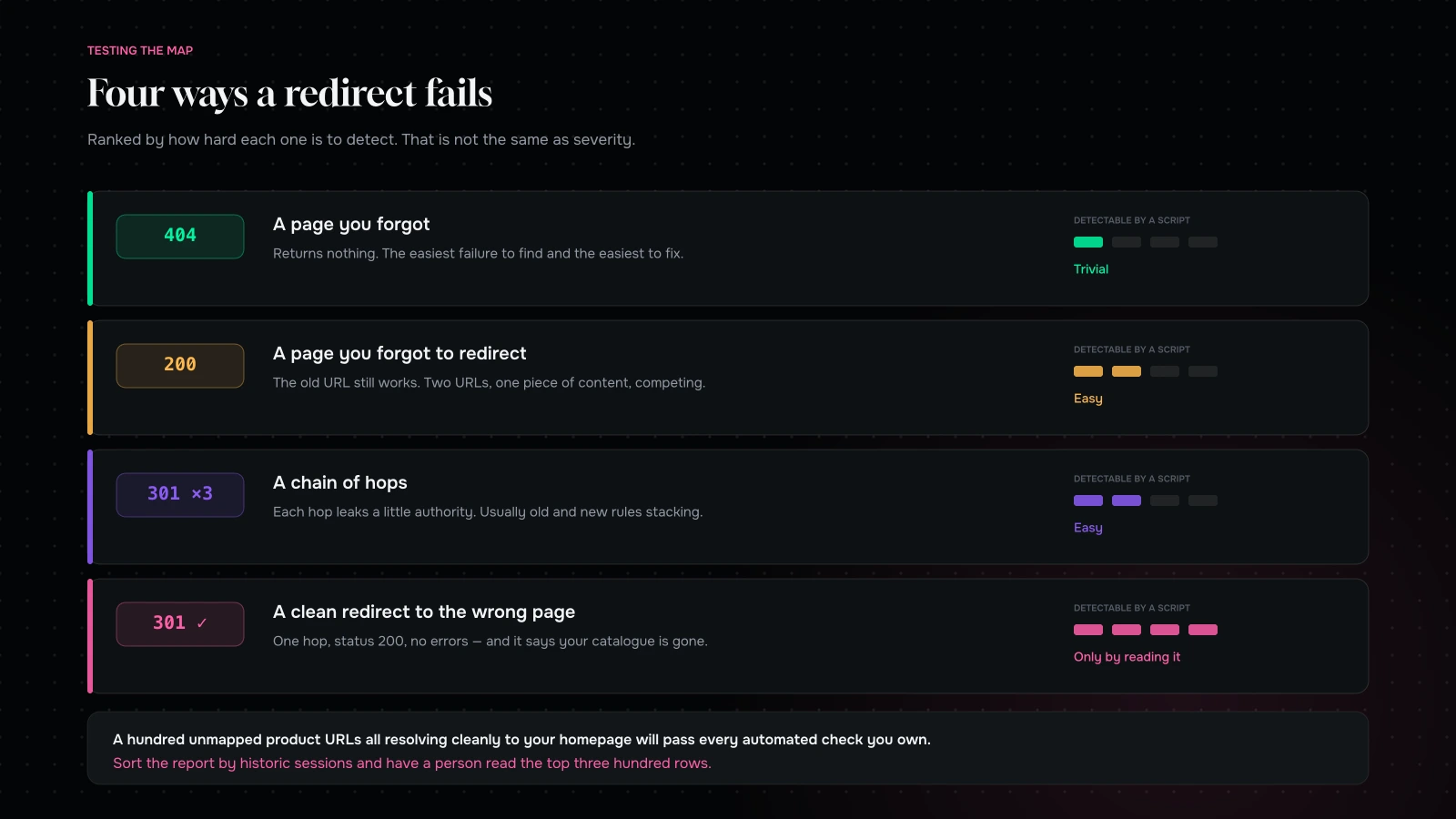
404 — a page you forgot. The easiest to find and the easiest to fix. Any URL in your source list returning 404 goes back into the map.
200 — a page you forgot to redirect. The old URL still works, so nothing looks broken. You now have the same content on two URLs competing with each other, and search engines have to pick. They will not always pick the one you want.
Chains of more than one hop. Each hop leaks a little authority and adds latency. Two hops is survivable; five means your old redirects and your new redirects are stacking, and it usually happens on stores that have migrated before.
A clean 301 to the wrong page. This is the one that costs money, because it passes every automated check ever written. Status 200 at the end, one hop, no errors. And a hundred unmapped product URLs all resolving to your homepage tells a search engine that your catalogue no longer exists.
No script will catch the fourth mode. Somebody has to read a sample — three hundred rows, sorted so that high-traffic URLs are at the top — and ask of each one whether a person landing there would think they had arrived at the right page. When Gud Tonics came to us after a botched migration, the redirect map was technically flawless. It was also pointing a third of the catalogue at a collection page that no longer contained those products.
The metadata migration everybody forgets
Redirects move authority. They do not move the thing that persuades somebody to click.
Title tags, meta descriptions and canonical tags do not ride along in a product CSV. On WooCommerce they usually live in Yoast or RankMath’s post meta; on Shopify they live in a different field on a different object. Unless somebody explicitly maps them, your entire catalogue launches with auto-generated titles, and you will watch impressions hold steady while clicks fall — then blame the redirects, which are fine.
Same for structured data. Product schema, review schema, breadcrumb schema: all of it is theme-level, all of it disappears when the theme does, and rich results take weeks to come back once they have gone. Check it on the new templates before launch, not after.
And check your robots directives twice. The single most common catastrophic migration error is not a redirect problem at all — it is a staging site’s `noindex` going live with the store. It is a two-word fix that nobody finds for a fortnight because the site looks perfect.
What a healthy dip looks like
Agree, in writing, before launch, what you expect to see. Arguing about it afterwards while the number is falling is how brands make expensive decisions.
A migration with a correct redirect map typically loses organic sessions for one to three weeks, then starts climbing. The depth varies with how much of your URL structure changed and how large the site is. A shallow dip that has visibly turned by week three needs no action at all.
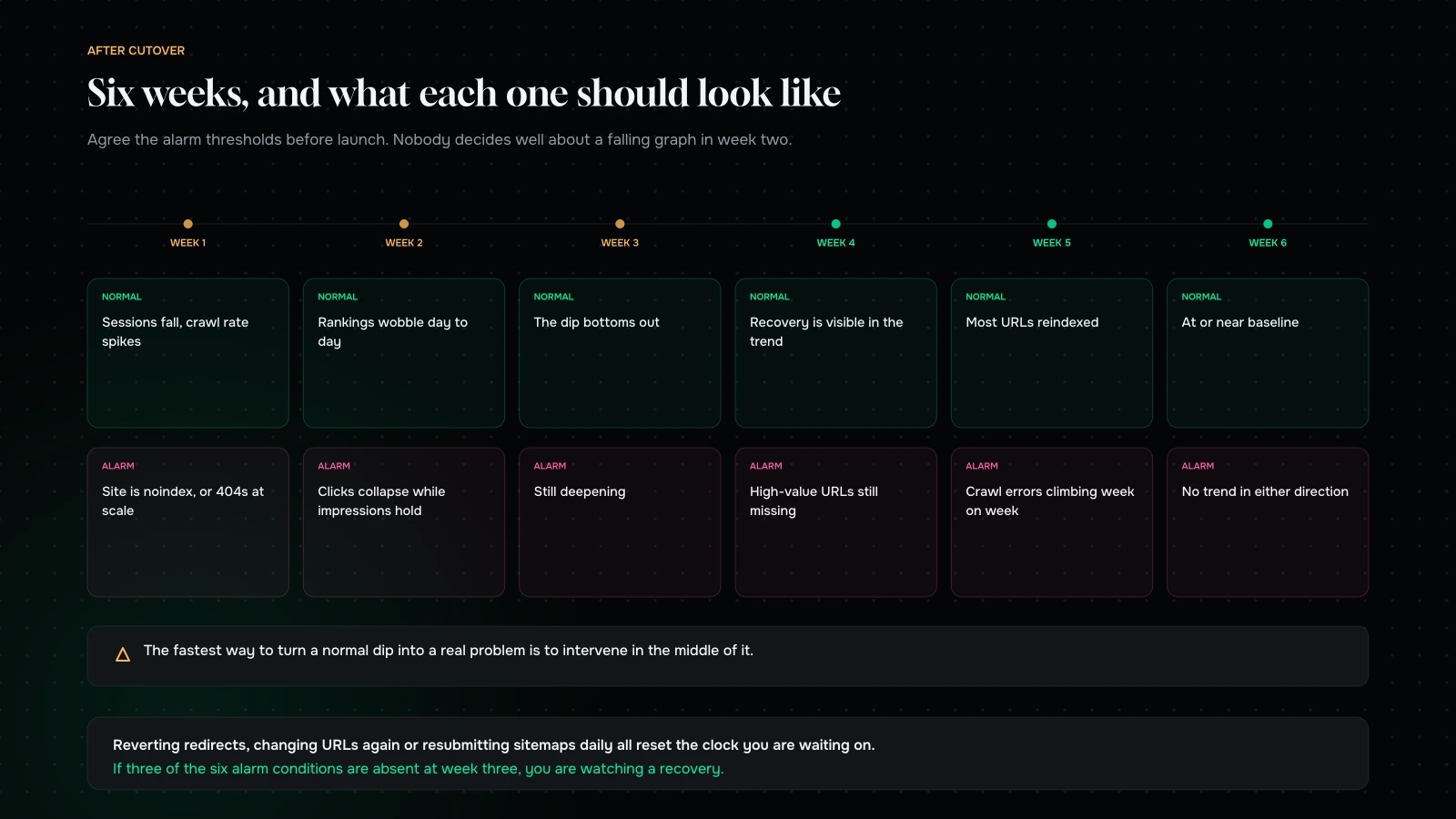
The temptation in week two is to do something. Resist it. Reverting redirects, changing URLs a second time, resubmitting sitemaps daily, or rewriting titles in a panic all reset the clock you are waiting on. The single most reliable way to turn a normal dip into a real problem is to intervene in the middle of it.
What a broken one looks like
Four signals mean something is actually wrong, and all four are visible by week three.
The dip is still deepening at week three. A normal recovery has started by then. A continuing decline means URLs are still not resolving where they should.
Impressions hold steady while clicks collapse. Your pages are still ranking; people are choosing not to click them. That is a title and description problem, not an indexing one. Go and look at what your product pages are calling themselves in search results.
Specific high-value URLs vanish while everything else recovers. A targeted redirect failure. Find those URLs in your map and follow them by hand.
Crawl errors climb week on week instead of falling. Something is generating URLs that do not exist — usually a template linking to an old pattern, or a sitemap still listing pre-migration URLs.
Everything else is noise, seasonality, or an algorithm update that has nothing to do with you.
The first seventy-two hours
The map is the big artefact, but the hours after cutover decide how much a mistake costs. In rough order:
- Confirm the site is indexable. Robots file, meta robots, and any password protection. Do this first, before anything else, every time.
- Re-run the full redirect test against production. Staging lies. Something always behaves differently once the real domain is attached.
- Submit the new sitemap and remove the old one. Once. Not daily.
- Check the top hundred URLs by revenue by hand, not by script.
- Watch server logs rather than analytics. Logs tell you what crawlers are actually doing days before analytics tells you what happened.
- Fix 404s the same day they appear. A 404 that lives for six hours costs nothing. One that lives for three weeks costs a ranking.
Recovering from one that already went wrong
If you are reading this after the fact, the order of operations matters more than the effort.
Start by rebuilding the source list from scratch — crawl, analytics, backlinks — because whatever list the original migration used is the list that produced the problem. Diff it against what currently resolves. That gives you a real inventory of damage instead of a hunch.
Then fix in order of value, not in order of volume. Two hundred 404s on tag pages nobody visits matter less than four product URLs with links from press coverage. Sort by historic sessions and inbound links, work down.
Then leave it alone. Recovery from a corrected redirect map takes weeks, not days, and the impulse to keep adjusting is what stretches a two-month recovery into a six-month one. Fix it once, correctly, and then be patient — the same discipline that makes a phased redesign work applies here.
The honest caveat: not everything comes back. If a URL sat 404 for months, some of the links pointing at it have been removed and some of the rankings have been reallocated to competitors who are now the incumbent. Recovery usually lands somewhere short of where you started. That is the real cost of getting the map wrong, and it is why it is worth spending a fortnight on the map.
The URLs nobody puts in the map
Product and collection URLs get mapped because they are obvious. These are the ones that reliably get missed, and between them they account for a surprising share of the damage we find in repair jobs.
Images. Product photography sits at a URL, gets indexed, and drives image search traffic that most brands never look at. Move platforms and every image path changes. You will not usually redirect these individually, but you should know you are losing them rather than discover it later.
PDFs and downloads. Spec sheets, lab reports, size guides, catalogues. Frequently linked from outside, almost never in a sitemap, and often the single strongest page on a technical catalogue — which is exactly what we found when rebuilding Cocoatown’s technical catalogue.
Feeds. RSS, and more importantly your product feed. A shopping feed pointing at dead URLs disapproves your whole catalogue in an ad account, which costs you paid revenue on top of organic while nobody is looking at organic.
Campaign URLs with parameters. If `/product/x/?utm_source=newsletter` has been sitting in an email nobody deleted, the parameter must survive the redirect or your attribution breaks quietly.
Old international or AMP variants. Anything that ever existed as a separate URL is still linked from somewhere.
Internal links are the other half of the job
Redirects handle people arriving from outside. They do not fix your own site pointing at itself incorrectly.
After a migration, every internal link inside migrated content — blog posts, landing pages, product descriptions, navigation, footers — points at the old URL structure. The redirects catch them, so nothing appears broken. But every one of those links now costs an extra hop, and a site where a large share of internal links redirect looks, to a crawler, like a site that has been abandoned.
Do a find-and-replace pass across migrated content as a scheduled task, not as an afterthought. Then crawl your own site and look specifically for internal links returning 301. There should be none.
Rehearse it two weeks early
The cheapest hour in the whole project is a dry run.
Two weeks before cutover, point the redirect rules at staging, run the full source list through them, and produce the report you intend to produce on launch day. Not to fix everything — to find out how long the report takes to generate, how many rows need human review, and who is going to read them. Teams discover on launch night that their test takes six hours and nobody has budgeted six hours.
It also surfaces the arguments early. There is always at least one pattern where two people disagree about the destination, and it is much better to have that conversation on a Tuesday than at 11pm during a cutover.
What it comes down to
The redirect map is the highest-stakes artefact in a replatform, and it is the one most likely to be produced by a script and signed off by nobody.
Build the source list from three places, map by pattern, work the exceptions by hand, then test every URL and read a sample with human eyes. Migrate your metadata deliberately. Agree what a normal dip looks like before you launch. And then, in week two, when the graph is down and somebody senior is asking questions, do nothing — because doing nothing correctly is most of the skill.
If that sounds like a lot of work for something invisible, that is exactly the point. Nobody ever congratulates you on a migration where traffic came back. They just stop thinking about it, which is the outcome you are buying.
About to move, or already lost traffic? Send us your old and new domains through the contact form and we will run your top URLs against the new site and tell you which of the four failure modes you have, if any. If the answer is that your redirects are fine and you are three weeks into a normal dip, we will tell you that and you can stop worrying.
You can also read what actually breaks in a WooCommerce to Shopify migration, or what the whole move costs.
We will run your old URLs against your new site and tell you what we find.
Send us the old domain and the new one. We will pull your historic URLs, request every one of them, and come back with the 404s, the chains and — the one that matters — the clean redirects pointing at the wrong page.
If your redirects are correct and you are simply three weeks into a normal dip, we will tell you that, and you can stop worrying about it.
More on Migration & Replatforming
Moving platforms, without moving your problems with you.

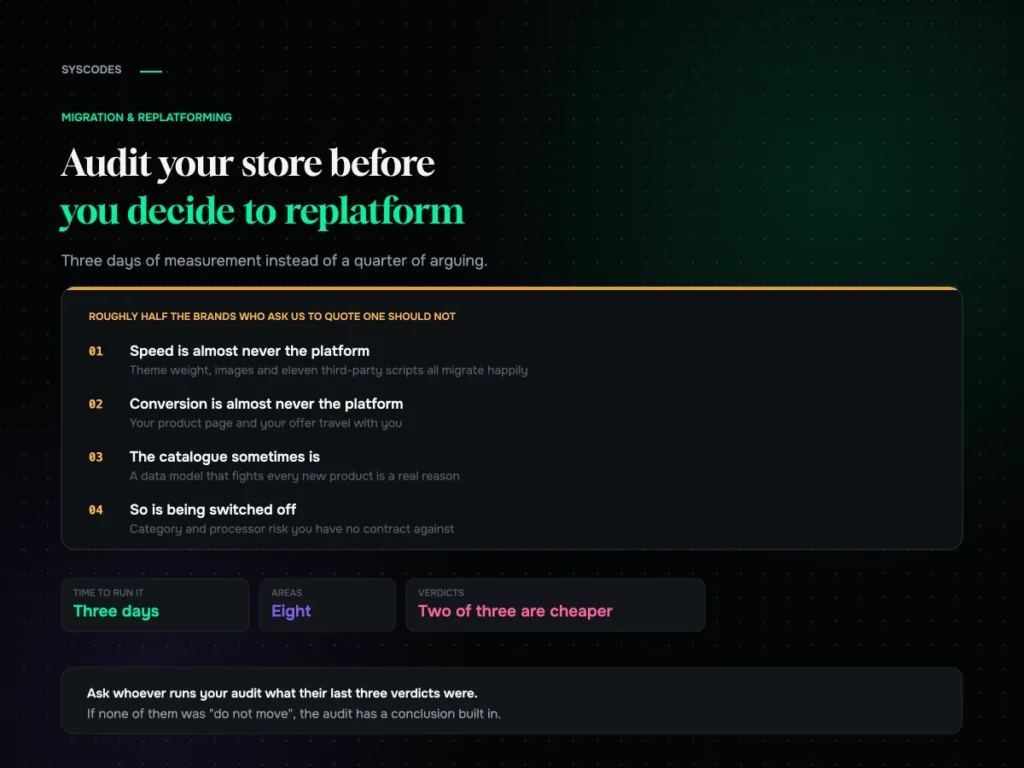
How to audit your store before you decide to replatform
A pre-replatform audit you can run yourself: eight areas, what to measure in each, how to score it, and the three verdicts — fix it here,…
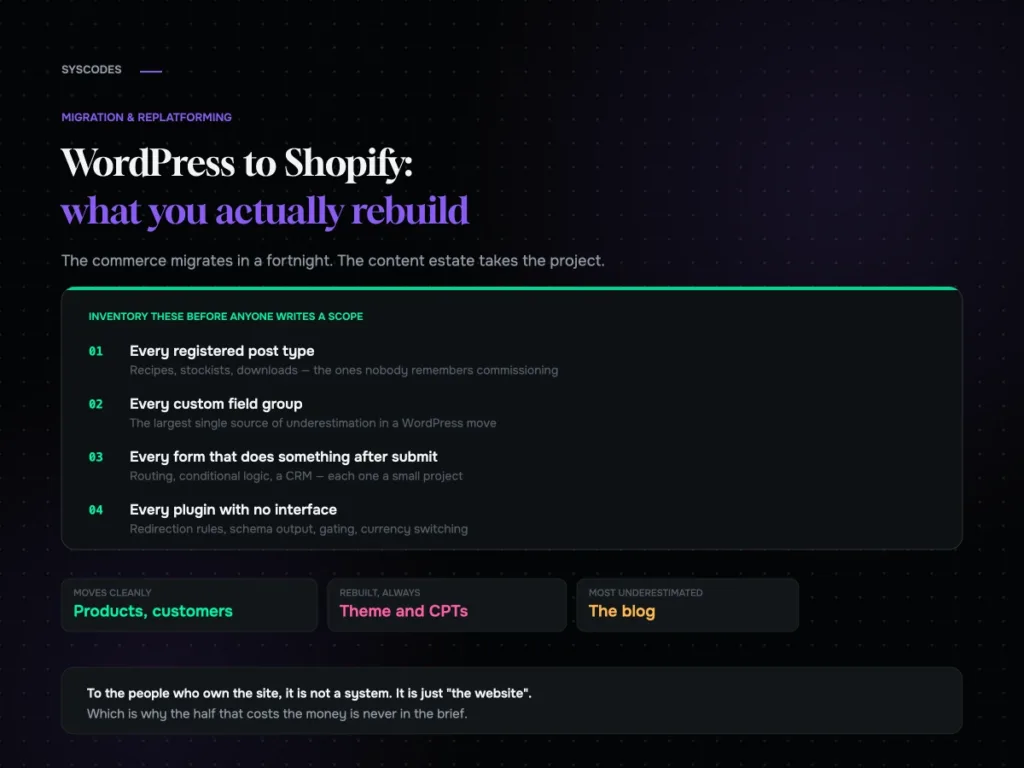
WordPress to Shopify: what transfers and what you rebuild
What genuinely transfers from WordPress to Shopify, what gets rebuilt, why the blog is the part everyone underestimates, and the split architecture most brands are never…
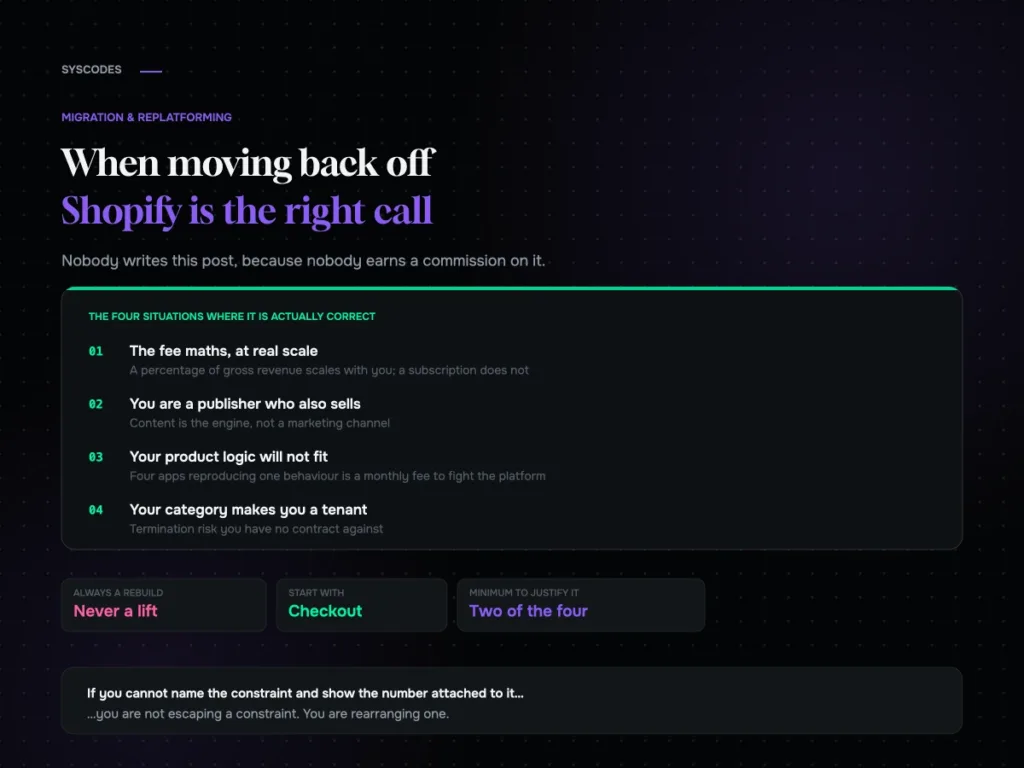
Shopify to WooCommerce: when moving back is the right call
The honest case for moving from Shopify to WooCommerce: fee maths at scale, content-led businesses, product models that will not fit, and category risk — plus…
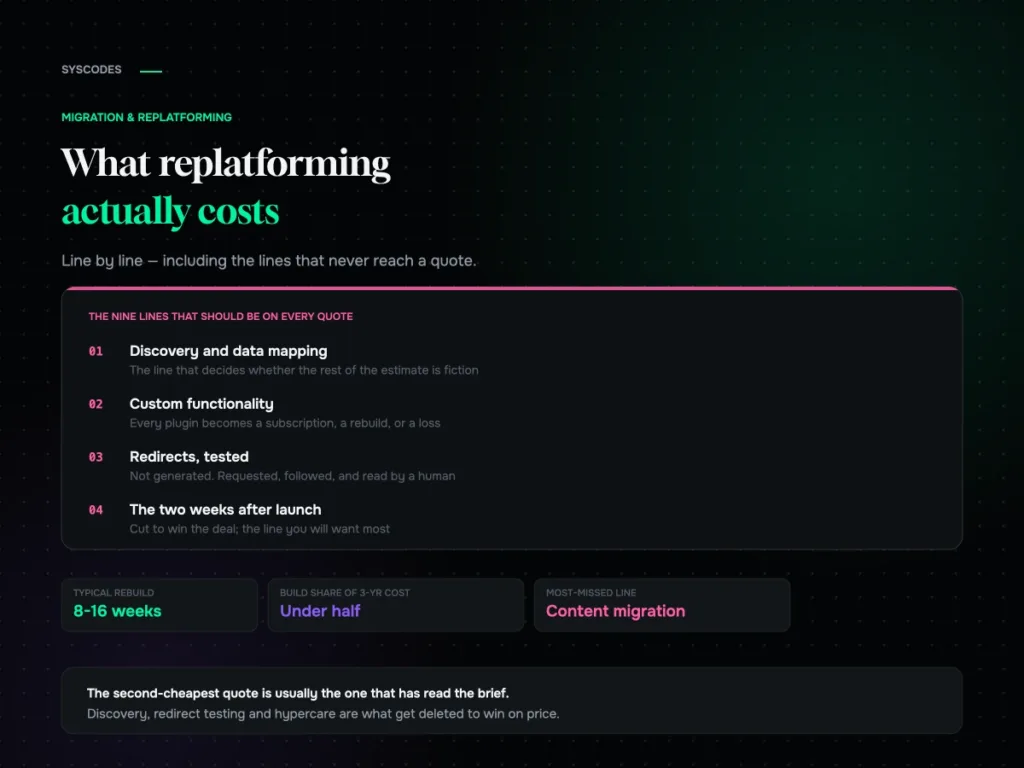
What replatforming actually costs: a line-by-line breakdown
Why replatforming quotes never agree, the nine lines that should be on every one of them, what actually moves the number, and the three-year cost most…
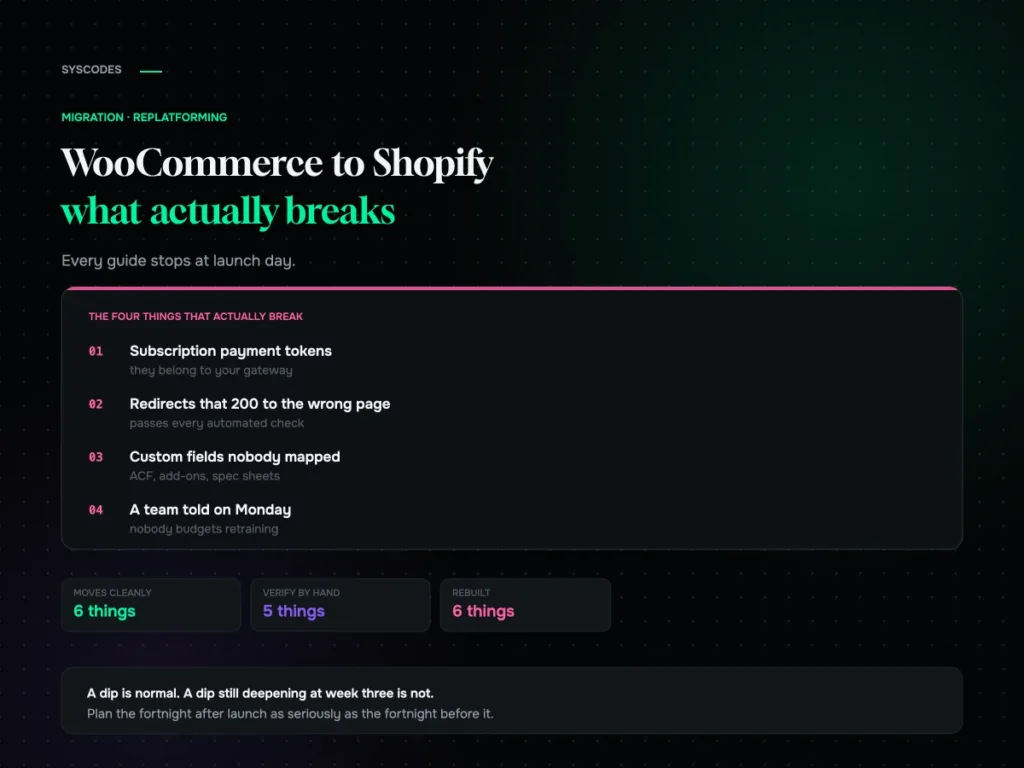
WooCommerce to Shopify migration: what actually breaks
What genuinely does not transfer, how to test a redirect map properly, what a replatform actually costs, and what the traffic dip should look like in…