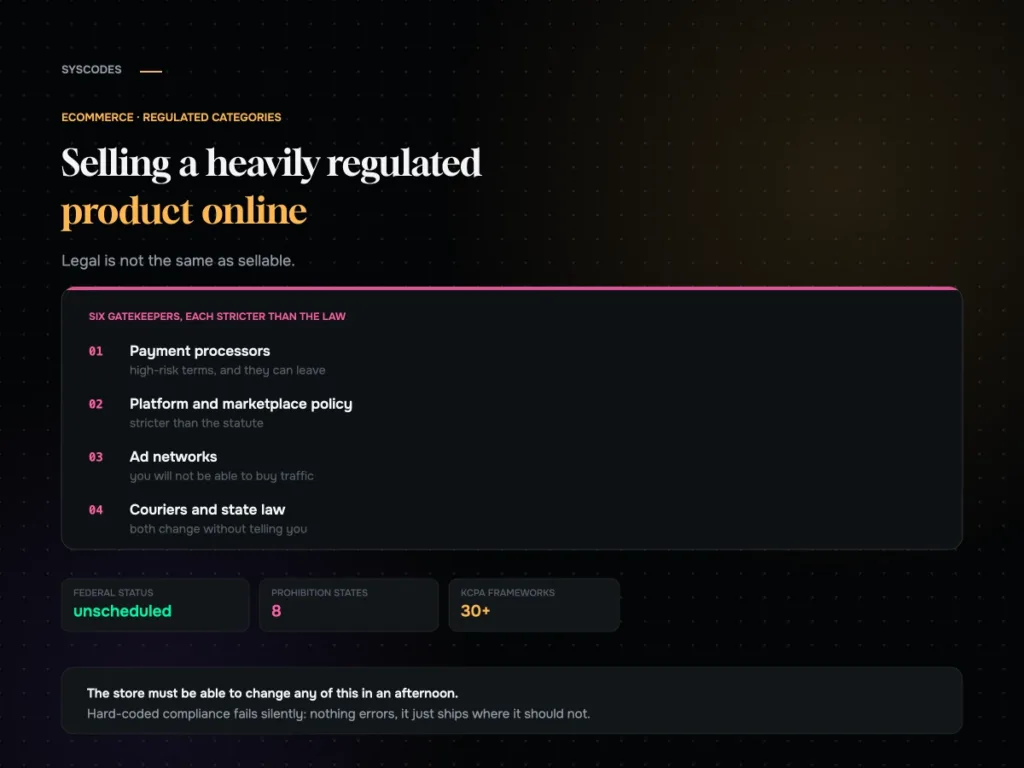
WooCommerce to Shopify migration: what actually breaks
Every migration guide stops at launch day. That is roughly when it starts going wrong. Written from the other side: what genuinely does not transfer, how to test a redirect map, and what the traffic dip should look like.
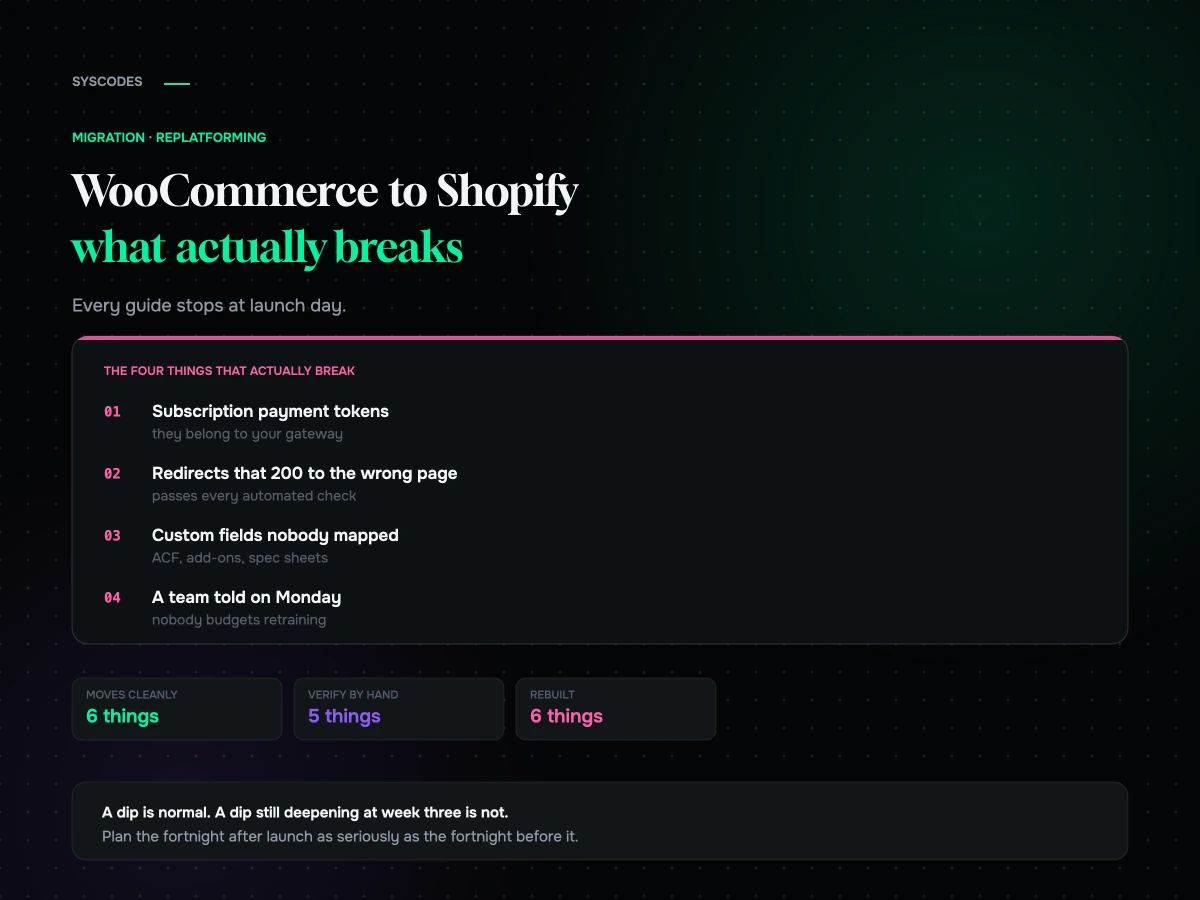
What genuinely does not transfer
Migration tools advertise products, customers and orders. They do move those, mostly. The trouble is everything sitting around them.
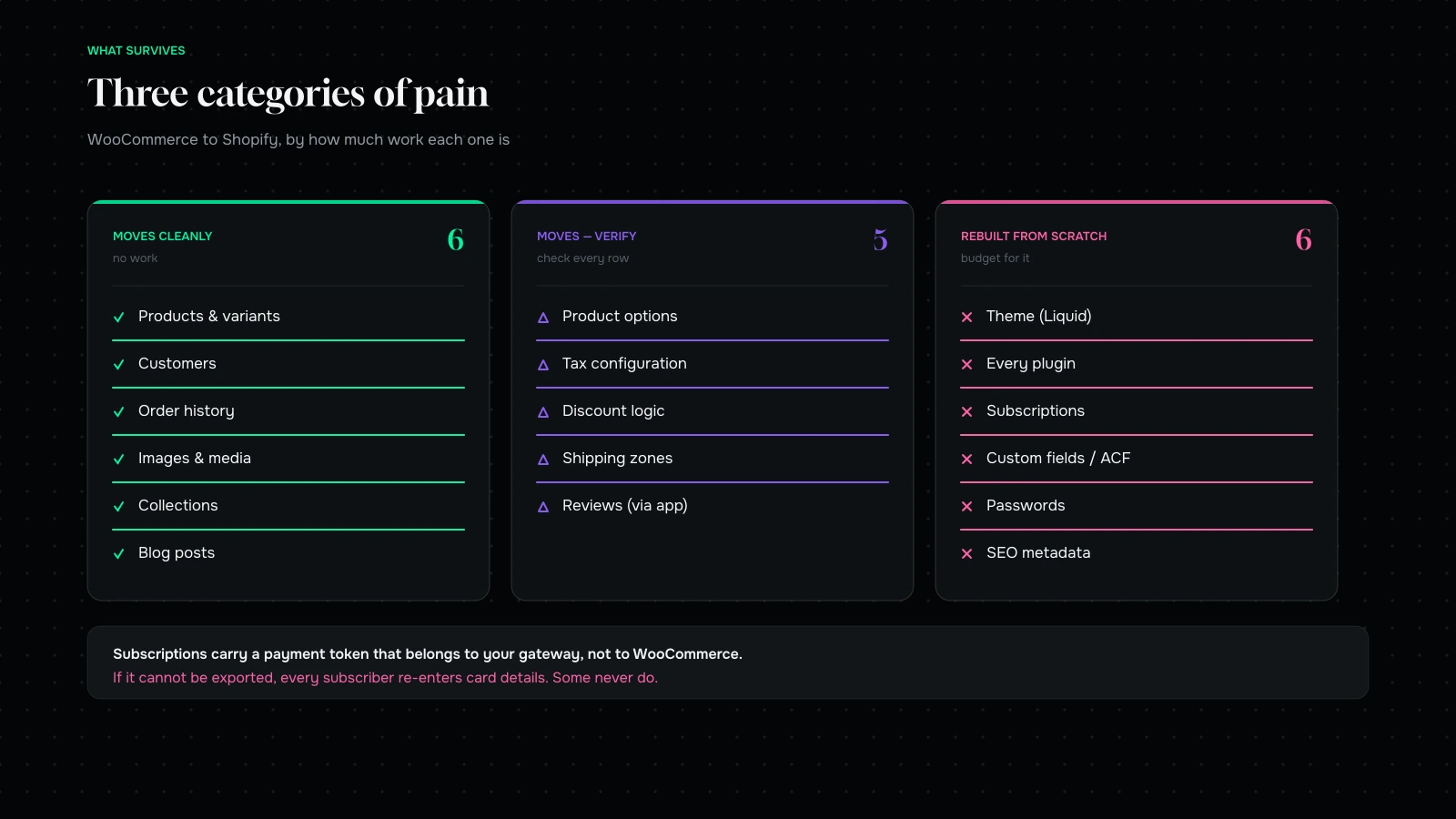
Customer passwords. Hashed, and therefore unmovable. Every customer resets on first login. That is unavoidable and fine, but treat it as a communications event rather than a technical footnote. If you have a large dormant list, expect a support spike and a measurable dent in returning-customer conversion for a fortnight.
The theme. Nothing ports. WooCommerce themes are PHP, Shopify themes are Liquid, and there is no bridge between them. Budget for a full storefront rebuild and be suspicious of anyone suggesting otherwise.
Subscriptions. Here is the one that hurts, and almost no migration guide covers it properly.
WooCommerce Subscriptions holds three things: the subscription, the schedule, and the payment token that lets you charge that customer again next month. The token belongs to your payment gateway, not to WooCommerce. Move to Shopify and a subscription app, and you are asking a system the gateway has never met to charge cards it has never seen.
Sometimes the tokens can be migrated. That requires staying with the same gateway, the gateway supporting token export, and the receiving app supporting token import. Often one of those three is false. When it is, every subscriber re-enters their card details, and a predictable share of them never get round to it. On a subscription business, that is not an inconvenience during migration. It is a revenue event, and it belongs in the business case before anyone opens a CSV.
Find out which situation you are in early. Ask your gateway in writing whether tokens can be exported. Ask the receiving app the same question, in writing, and get a name. If either answer is no, model the churn honestly and decide with the real number in front of you.
Custom fields. If you have used ACF, post meta or a product add-on plugin to hold size charts, ingredient lists, care instructions, lab reports or downloadable spec sheets, none of it maps by itself. Shopify metafields will hold all of it, but somebody has to design the schema and write the mapping. Catalogue migrations tend to blow their estimates here, not on the product import.
Reviews. They live in a plugin and will live in a different app afterwards. Most review apps ship an importer. Test yours on one product before trusting it with four thousand.
Product options. Shopify’s data model is stricter than WooCommerce’s. Products carry a limited number of option dimensions and a ceiling on total variants, and anything above the ceiling fails at import rather than degrading politely. If you sell made-to-order goods, configurable bundles, or anything with more than three axes of choice, restructure the catalogue before you import it. This is a modelling problem rather than a data problem, and in our experience it is the single most common reason a migration stalls in week three.
SEO metadata. Title tags, meta descriptions and canonicals do not ride along in a product CSV. They need a mapped import of their own. Skip it and you will lose rankings while blaming your redirects.
The redirect map is the highest-stakes thing you will build
Everything above is recoverable. A bad redirect map costs organic revenue for months, and it is horrible to spot, because traffic decays rather than stops.
Every guide tells you to set up 301 redirects. Very few tell you how to test them, so here is how we do it.
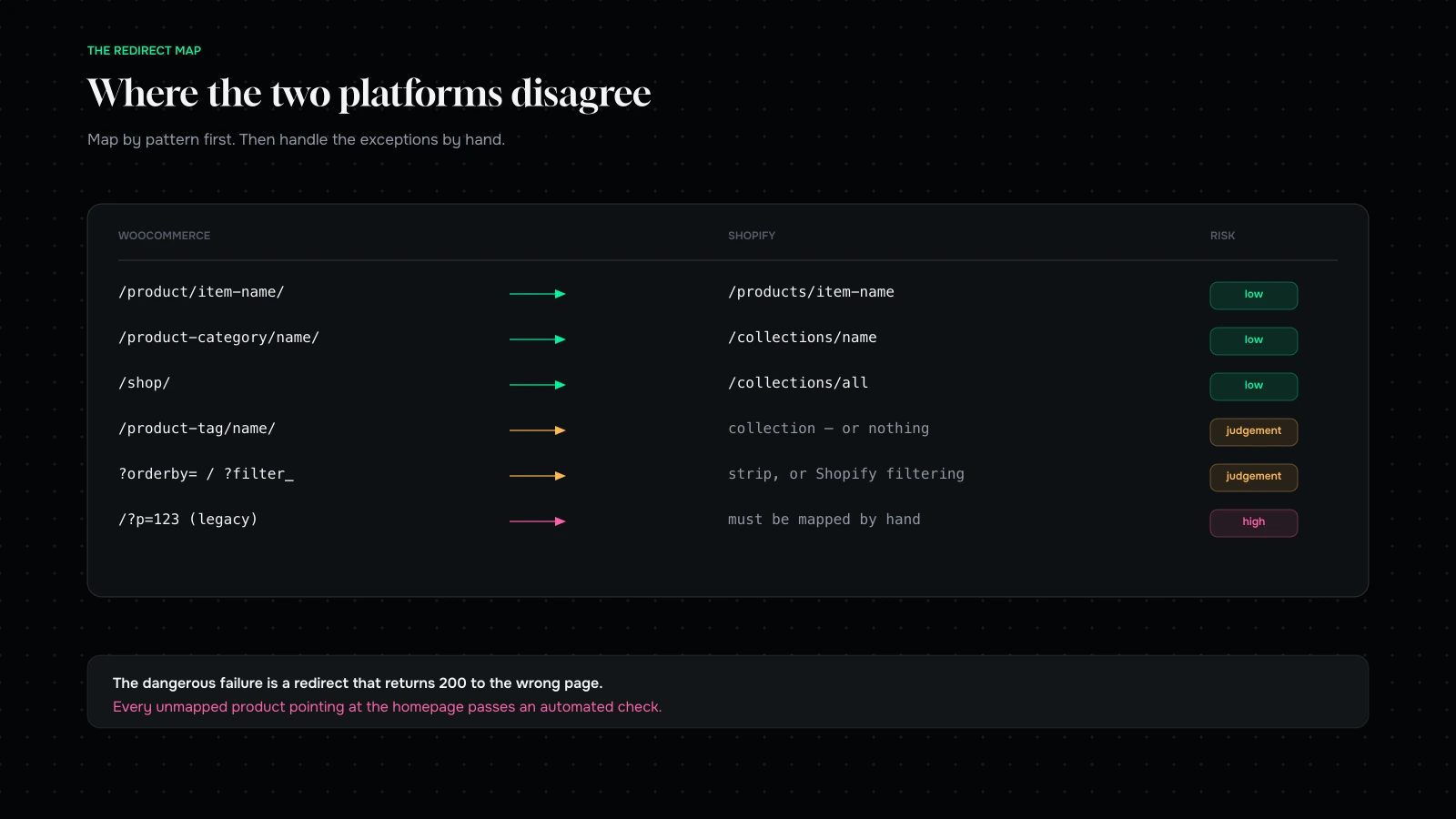
Build the source list from reality rather than from your sitemap. A sitemap contains what you believe exists. Pull from three places instead and merge them: a full crawl of the live site, your top thousand landing pages from the last twelve months of analytics, and every URL with an inbound link pointing at it. That third source is the one people skip and the one holding your equity.
Map by pattern, then work the exceptions by hand. The structural disagreements between the two platforms are predictable, and the table in the image above covers most of them. Product tags are where judgement comes in. A store with two hundred tags does not need two hundred collections; map the ones with traffic or links and let the rest resolve somewhere sensible.
Then test properly, which does not mean spot-checking a dozen. Take the entire source list, request every URL against the new site, and record three things: status code, number of hops, final destination. You are hunting four failure modes.
- 404 - a page you forgot.
- 200 - a page you forgot to redirect, now duplicated across two URLs.
- Chains of more than one hop, leaking a little equity at each.
- A clean 301 to the wrong page. This is the dangerous one, because it passes every automated check ever written. A hundred unmapped products all pointing at your homepage looks perfectly healthy to a crawler and tells Google your catalogue no longer exists.
That fourth mode is why a human has to read a sample of the mapping. No script will tell you that /product/organic-green-powder/ should not be resolving to /collections/all. When Gud Tonics came to us after a botched migration, the redirects were technically flawless and pointing at the wrong things.
The first two weeks
This is the part other guides do not have, and it decides whether the migration was worth doing.
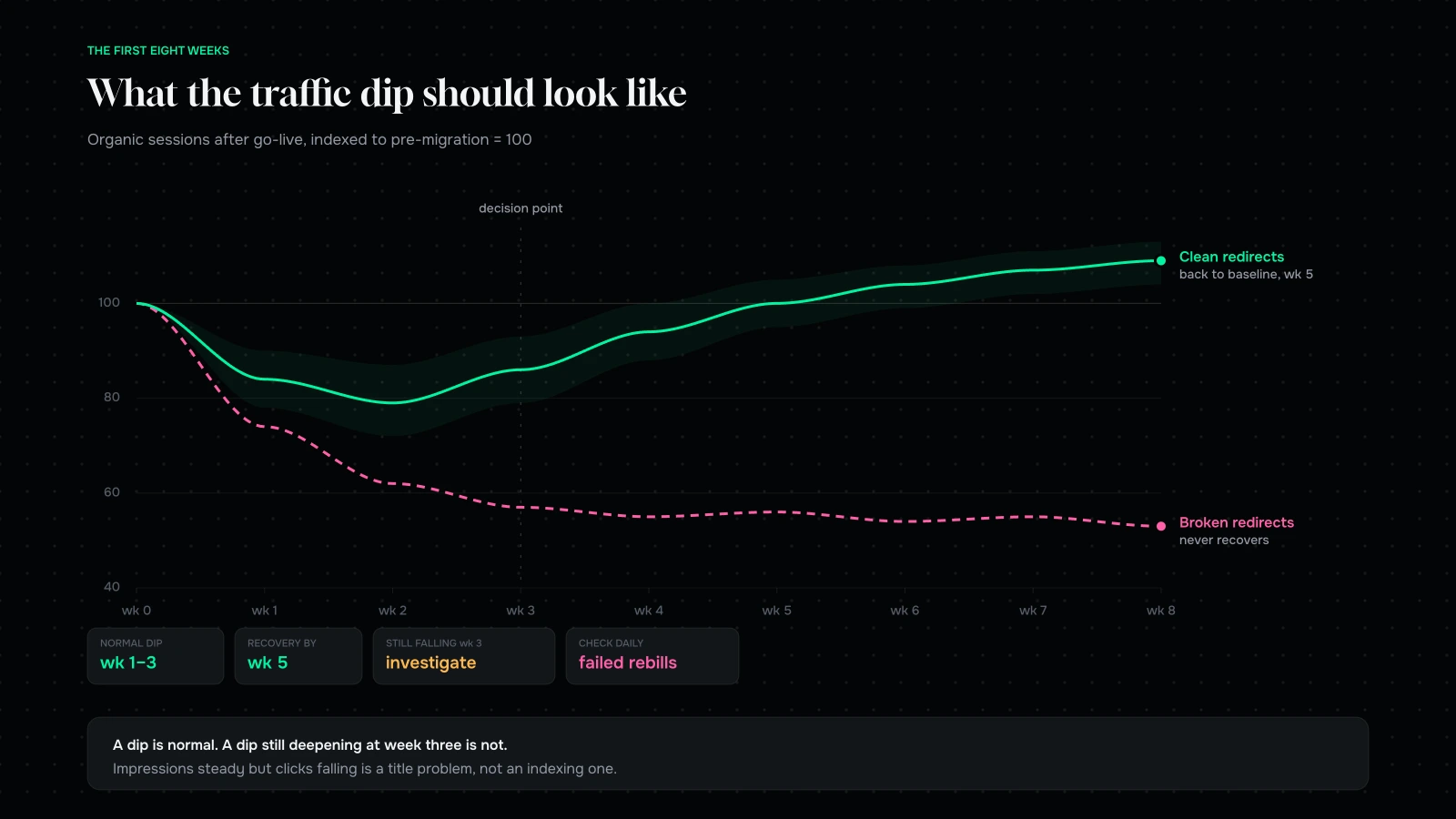
Expect a dip, and know which dip you are looking at, because panicking about the wrong one is expensive.
A migration with clean redirects usually sees organic sessions fall for one to three weeks while Google recrawls and reassigns authority, then recover. A shallow dip that has started climbing by week three is normal and needs no action at all. It is not evidence that something is broken. Reacting to it, by reverting redirects or resubmitting sitemaps daily or changing URLs a second time, reliably makes things worse.
What is not normal: a dip still deepening at week three; impressions holding steady while clicks collapse, which is a title and meta problem rather than an indexing one; specific high-value URLs vanishing while everything else recovers, which is a redirect problem on those URLs; and crawl errors climbing week on week instead of falling.
Agree what you will watch, and the threshold at which each becomes a problem, before you launch rather than during the argument.
| Signal | Where | Alarm |
|---|---|---|
| 404s | Search Console, server logs | Any URL that previously had traffic |
| Redirect chains | Weekly crawl | More than one hop |
| Organic sessions | Analytics | Still falling at week 3 |
| Conversion rate | Analytics | Below pre-migration 7 days running |
| Checkout completion | Shopify | Any drop; this is a different checkout now |
| Failed subscription charges | Subscription app | Above baseline, checked daily for 30 days |
| Support volume | Helpdesk | Sorted by cause: password, order lookup, subscription |
That subscription row wants a human every morning for a month. Failed rebills do not announce themselves. They turn up as an unexplained revenue shortfall six weeks later, by which time the customers have gone.
Decide your rollback triggers in advance too. Not because you are likely to use them, since full rollbacks are rare and unpleasant, but because deciding under pressure at 11pm produces bad decisions. Reasonable triggers: checkout is broken and cannot be fixed inside an agreed window, payment capture is failing, or catalogue data is materially wrong across a large share of products. Everything else is a fix-forward problem.