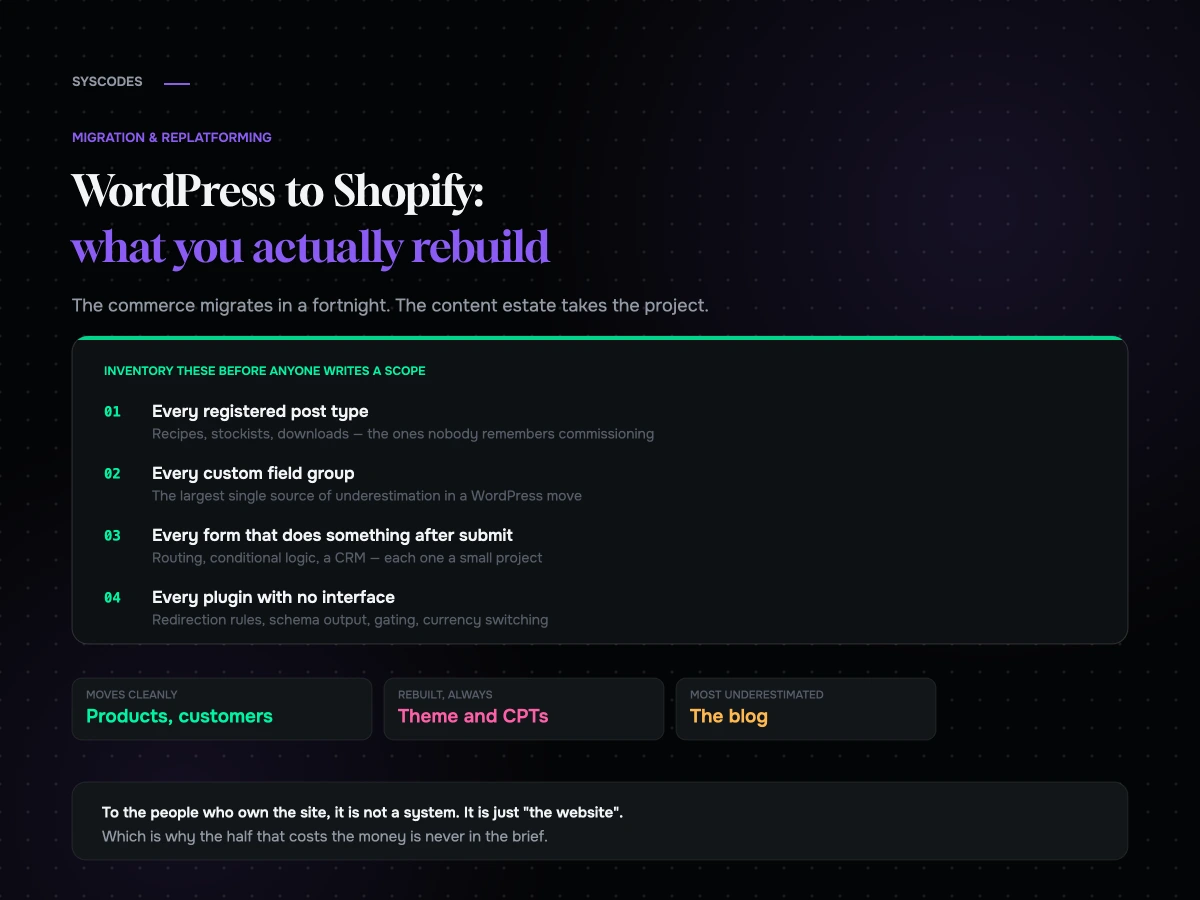
A WooCommerce migration is a catalogue problem. A WordPress migration is an archaeology problem.
The difference matters more than people expect. When a store moves from WooCommerce to Shopify, the hard parts are known in advance: variants, subscriptions, custom fields. When a WordPress site moves to Shopify, the hard part is that nobody in the building knows everything the site does. It has been there for eight years. Four agencies have touched it. There are post types nobody remembers commissioning, a plugin that quietly powers the wholesale enquiry form, and three hundred blog posts with internal links pointing at URLs that are about to stop existing.
We ran exactly this shape of project for Kampura’s move from WordPress to Shopify, and the pattern has held on every one since: the commerce migrates in a fortnight and the content estate takes the rest of the project.
You are not migrating a store, you are migrating a decade
Shopify is a commerce platform with a content feature. WordPress is a content platform with a commerce plugin. Moving from one to the other is not a like-for-like swap in either direction, and the direction you are going means the thing you are giving up is precisely the thing WordPress was best at.
That is fine, and often correct. But it needs to be a decision rather than a discovery. The failure mode is a project that budgets for products and finds out in week seven that the site also contains a recipe archive, a stockist locator, a wholesale portal and a resource library, none of which were in the brief because to the person writing the brief they were simply “the website”.
Inventory before you plan anything
Before a single line of scope gets written, produce an honest inventory. Not a sitemap — an inventory.
Six things to write down.
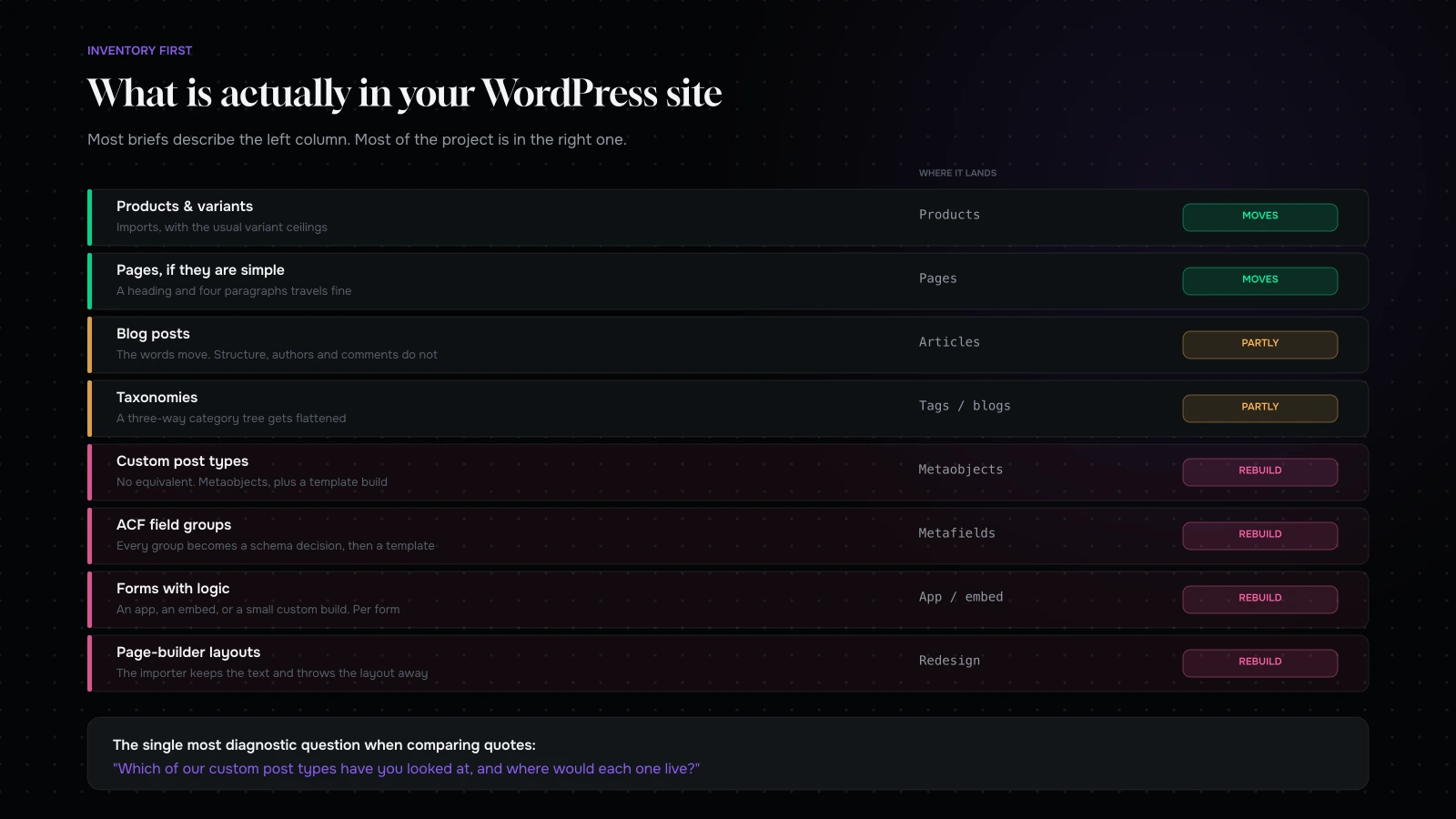
Every registered post type. Products, posts, pages — and then the ones you forgot: case studies, recipes, FAQs, team members, testimonials, locations, downloads. Each one is either content that becomes a Shopify page, content that becomes a blog article, content that becomes metafields on a product, or content you are choosing to lose.
Every taxonomy. Categories, tags, and the custom ones. Shopify’s model is thinner here, and a site organised around three intersecting taxonomies will not survive the translation unchanged.
Every custom field group. ACF, Meta Box, Pods, or hand-rolled post meta. This is the largest single source of underestimation in a WordPress migration. All of it can live in Shopify metafields, but somebody has to design the schema, and the schema is a design job rather than a data job.
Every form and what happens after submission. Contact forms are easy. Wholesale applications that route to a CRM, gated downloads, quote requests with conditional logic, and anything writing to a database table are not.
Every plugin doing real work. Not the ones you can see — the ones with no interface. Redirection rules, schema output, membership gating, currency switching, cache configuration.
Every URL with traffic or links. The same three sources as any migration: a crawl, twelve months of analytics, and your backlink profile. If you have not read how to build and test a redirect map, do that before this project starts rather than during it.
What transfers, more or less
The good news first, because there is some.
Products and variants, if you were running WooCommerce, with the same caveats as any Shopify import: option dimensions are limited, variant ceilings are real, and anything above them fails at import rather than degrading gracefully.
Customers, minus passwords. Hashes cannot move. Everyone resets on first login, which is a communications event rather than a technical one — tell people before launch and the support spike does not happen.
Orders, as historical records. They come across well enough for lookup and reporting. They do not come across as living objects, so anything that depends on an order’s state — a partially fulfilled backorder, an open RMA — needs handling by hand.
Blog posts, as raw content. The words move. What surrounds them mostly does not, which is the next section.
Basic pages, as long as they are basic. A page that is a heading and four paragraphs migrates. A page built in a page builder with eleven sections, a slider and three custom blocks is a rebuild wearing a page’s clothing.
What you rebuild from scratch
The theme. All of it. PHP templates and Liquid templates have nothing in common. Anyone suggesting a theme can be “converted” is describing a rebuild with an optimistic name.
Anything a page builder produced. Elementor, Divi, WPBakery and Gutenberg blocks all serialise their layout into WordPress-specific storage. An importer will pull the text out and throw the layout away. Plan to redesign those pages, and take the opportunity to reduce how many of them there are — most brands have twice as many landing pages as they need.
Custom post types. There is no Shopify equivalent of “register a new content type”. You get products, collections, pages, blog articles, and metaobjects. Metaobjects are genuinely capable and are the right destination for most CPTs, but the mapping is a design exercise and the templates are a build.
Forms with logic. Anything beyond name-email-message becomes either an app, an embedded third-party form, or a small custom build. Decide which, per form, before the estimate is signed.
Membership, gating and account areas. WordPress makes these easy and Shopify does not. If a meaningful part of your business depends on logged-in content, that is a genuine architectural constraint and it belongs in the platform decision, not in the build.
Multilingual. If you are running WPML or Polylang across a real translated estate, understand precisely how the equivalent works on the target platform before you commit. This is the single most common reason we tell a brand not to move.
The blog is the part everyone underestimates
Three hundred posts is not “three hundred rows to import”.
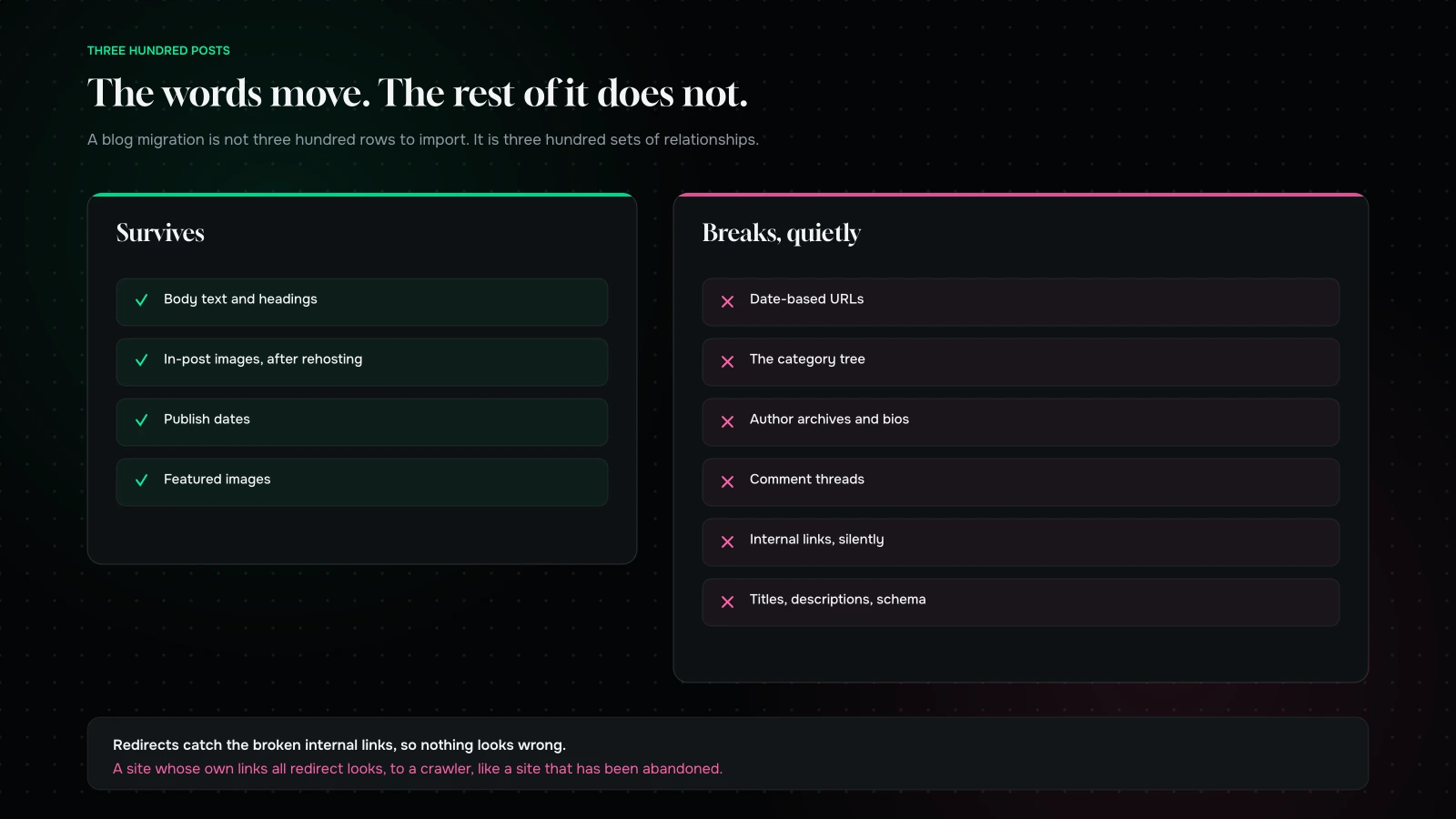
The URL structure changes shape. WordPress blogs commonly live at a date-based or category-based path; Shopify’s blog lives under its own fixed structure. Every post URL changes, every one needs a redirect, and category and tag archives frequently have nowhere sensible to go at all.
Categories become tags, or nothing. Shopify blogs support tags, and “blogs” themselves function as a coarse grouping. A content estate organised into a proper category tree will be flattened. Decide deliberately what the new structure is instead of accepting whatever the importer produces.
Authors flatten. Multi-author sites with author archives and bios usually lose the archives. If author authority matters to you — and in health, finance or technical categories it does — solve this explicitly.
Internal links break silently. Every link inside every post points at an old URL. Redirects will catch them, so nothing looks broken, but a site whose internal links all redirect looks abandoned to a crawler. Do a find-and-replace pass across migrated content as a scheduled task.
Comments do not come. If you have an active comment community, that is a loss, and for some sites it is a large one.
Images need rehosting and re-pathing. Every in-post image is a URL that stops resolving. Most importers handle this; verify it on a sample of twenty posts before trusting it on three hundred.
Schema and metadata do not travel. Titles, descriptions, canonicals and article schema live in your SEO plugin. Map them explicitly or launch with auto-generated ones and watch clicks fall while impressions hold.
The option most people are not offered
Because the question arrives as “should we move to Shopify”, the good middle answer gets skipped.
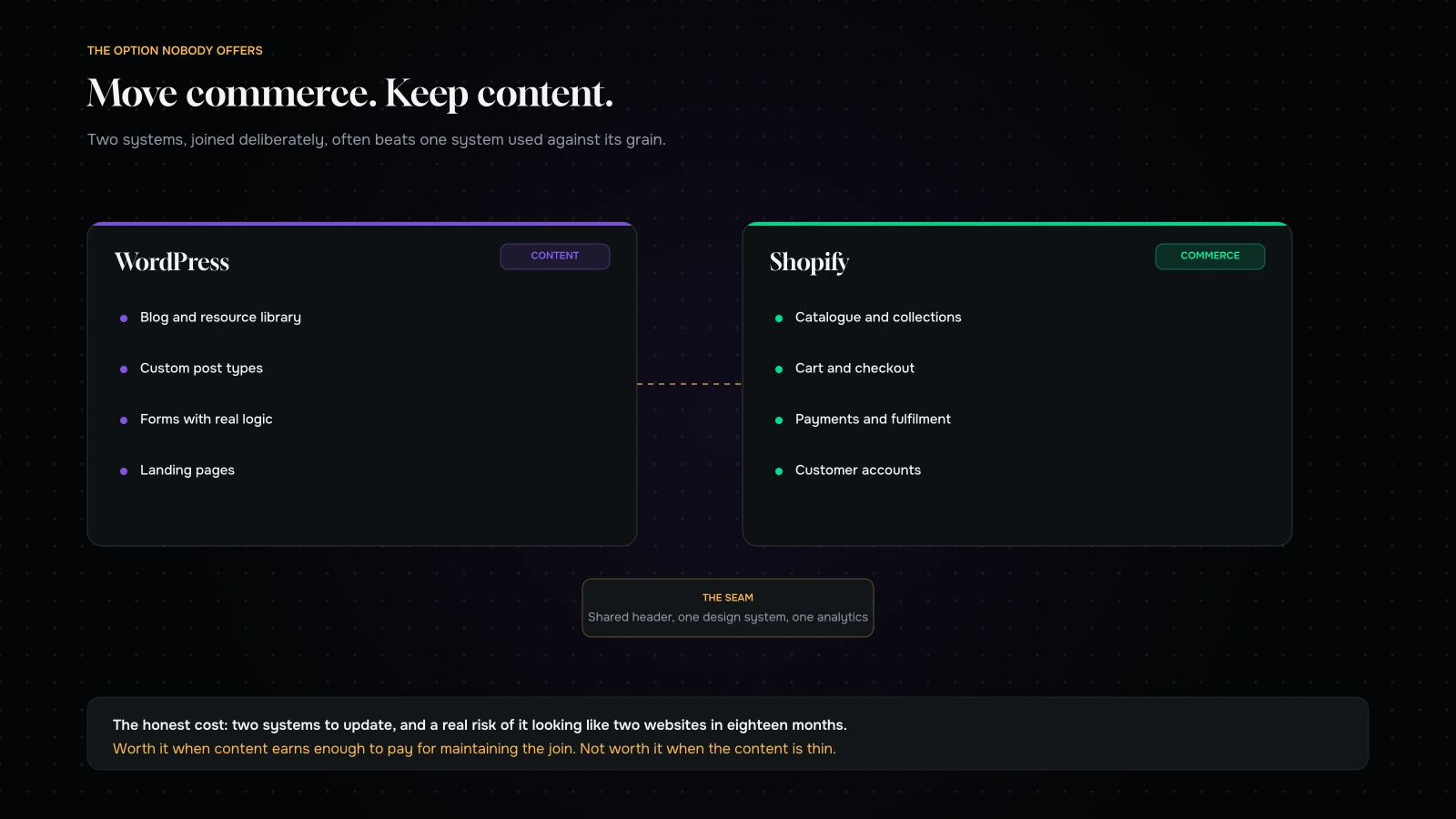
You can keep WordPress as the content layer and move only commerce. Shopify handles catalogue, cart, checkout and fulfilment; WordPress keeps the blog, the resource library, the custom post types and the forms it was always better at. Connected properly — shared header and footer, one design system, one analytics implementation, consistent internal linking — it reads as one site.
The honest cost of doing this: it is a seam, and seams need owning. Two systems to update, two places design can drift, and a genuine risk of it looking like two websites in eighteen months if nobody is responsible for the join.
We suggest it when the content estate is large and load-bearing, and we suggest against it when the content is thin — in which case moving it all and simplifying is the better outcome. What decides it is not preference. It is whether your content earns enough to justify the maintenance of a seam.
Sequence
If you are going ahead, the order that has worked for us:
- Inventory and decide. Every post type, taxonomy, field group, form and plugin gets a destination or an explicit decision to abandon it. This is the phase that gets cut, and cutting it is what causes week-seven surprises.
- Design the metafield and metaobject schema before importing anything. Retrofitting a schema after 400 products are in is significantly worse than doing it first.
- Build the redirect map from the three sources, and include blog, taxonomy, author and attachment URLs, not just products.
- Migrate commerce. Products, customers, orders. This is the fast part.
- Migrate content in batches, verifying images and internal links on each batch rather than at the end.
- Rebuild the templates. Product, collection, article, page, and the two or three bespoke ones you decided to keep.
- Rehearse the cutover with the full redirect test two weeks early.
- Launch, then watch for six weeks against thresholds agreed in advance.
The plugins that hide the most work
Some plugins are a checkbox to replace. Others are a phase. These are the ones that reliably turn out to be a phase, in rough order of how badly they are underestimated.
Advanced Custom Fields. Not because ACF is difficult, but because ACF is where eight years of “can we just add a field for…” ended up. A mature site has dozens of field groups across half a dozen post types, and every one of them has to become a metafield definition with a considered type, a considered template, and a decision about whether it is still needed.
WPML or Polylang. A translated estate is not content times two. It is content times two, plus language-aware URLs, plus hreflang, plus a redirect map per language, plus a checkout experience per market.
Membership and LMS plugins. MemberPress, LearnDash, Restrict Content. If your business model depends on gated content, this is a platform decision and not a build detail.
Booking and appointment plugins. The data model is unlike anything in a commerce platform. Usually the answer is a third-party service, and usually that is a better answer than it sounds — it is how we handled scheduling for RobotX’s workshop bookings.
Anything writing to its own database tables. Quiz results, saved configurations, wishlists, loyalty balances. Look for these deliberately: if data lives in a custom table, no importer knows it exists.
Redirection. Your existing redirect rules are a historical record of every URL change you have ever made. Export them, keep them, and stack them into the new map — otherwise you drop a decade of accumulated URL history in one afternoon.
Five signs this migration is bigger than the brief
If three or more of these are true, the estimate you have been given is for a different project.
- Nobody can list the site’s post types from memory. If you have to look, there are more than you think.
- A page builder has been used on more than ten pages. Every one of those is a redesign, not a migration.
- There is a form that does something after it is submitted. Routing, conditional logic, a CRM, a PDF — each one is a small project.
- The blog has more than a hundred posts and an internal linking habit. Good for you, and expensive to move.
- More than one agency has worked on the site. Two build philosophies coexisting in one codebase is where the undocumented behaviour lives.
What it costs, and why the estimate moves
The shape of the invoice is the same as any replatform — the nine lines are unchanged — but the weights are different.
Catalogue migration is usually lighter than a pure WooCommerce project, because a WordPress-led site tends to have a smaller catalogue. Content migration is dramatically heavier, often the single largest line. Custom functionality is heavier, because the things WordPress made trivial are the things Shopify makes bespoke. Redirects are heavier, because you are mapping a content estate rather than a product tree.
The reason estimates move mid-project is almost always the same: discovery was priced as a week of conversations rather than as an actual audit of the database. An agency that has looked at your post types, your field groups and your active plugins can hold an estimate. One that has looked at your homepage cannot, and the change orders will arrive around week six.
If you are choosing between quotes, the single most diagnostic question is not about price. It is: “which of our custom post types have you looked at, and where would each one live?” The quality of that answer is the quality of the project.
After launch, watch content signals rather than store signals
Most post-migration checklists are written for stores, so they watch checkout completion and product page conversion. Those matter here too, but on a content-led site the early warnings show up somewhere else, and they show up sooner.
Article impressions, not just sessions. A content estate ranks for a long tail of queries that individually look like noise. Aggregate impressions on blog URLs is the cleanest early signal that reindexing is going well or badly.
Internal 301s. Crawl your own site in week one and count the internal links that redirect. There should be none. Every one you find is a post whose body text still points at the old structure.
Image search traffic. Frequently a meaningful share of a content site’s discovery, always the first thing lost, and almost never on anyone’s dashboard. Check it before launch so you have a baseline to compare against.
Orphaned pages. The migration will have created some — a resource that used to be linked from a taxonomy archive that no longer exists. Find them by diffing your pre-migration crawl against the new one.
The pages nobody remembered. Somewhere between week two and week four, an internal team member will discover that a page they relied on has gone. Expect it, keep the old database available for a few months, and make it easy for people to report it rather than work around it.
Six weeks is the right window. Anything that has not surfaced by then usually was not load-bearing.
What it comes down to
The commerce part of a WordPress to Shopify migration is well-trodden and rarely goes wrong. The content estate is where the money and the calendar go, and it is almost never in the brief, because to the people who own the site it is not a system — it is just the website.
Inventory it properly, decide what dies, design the schema before you import, and consider seriously whether the right answer is to move commerce and leave content where it works. If somebody quotes this project without asking about your custom post types, they have quoted a different project.
Wondering what is actually in your site? Send us the URL through the contact form and we will come back with your registered post types, the field groups behind them, the forms doing real work, and an honest view of which parts have a Shopify equivalent and which are rebuilds.
You can also read what replatforming costs, or what breaks in a WooCommerce to Shopify move.
We will tell you what is actually in your site, including the parts your team forgot.
Send us your URL and we will come back with your registered post types, the field groups behind them, the forms doing real work, and an honest split between what imports and what gets rebuilt.
If the right answer is to move commerce and leave your content where it already works, we will say that — it is a smaller project and usually a better site.
More on Migration & Replatforming
Moving platforms, without moving your problems with you.

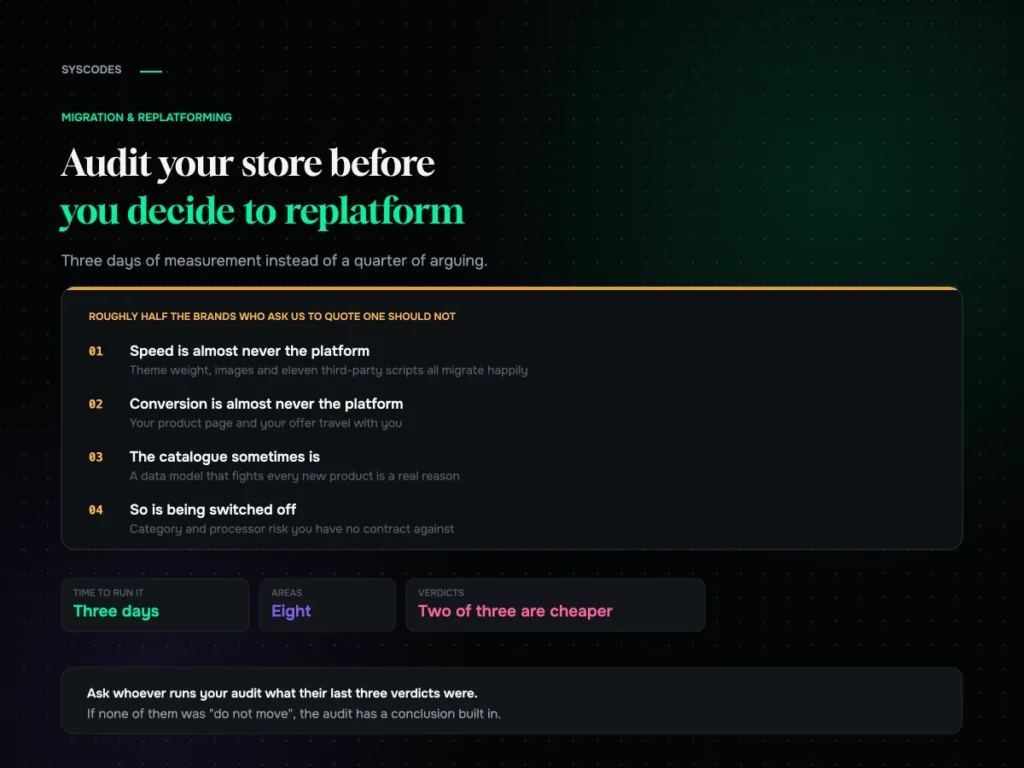
How to audit your store before you decide to replatform
A pre-replatform audit you can run yourself: eight areas, what to measure in each, how to score it, and the three verdicts — fix it here,…
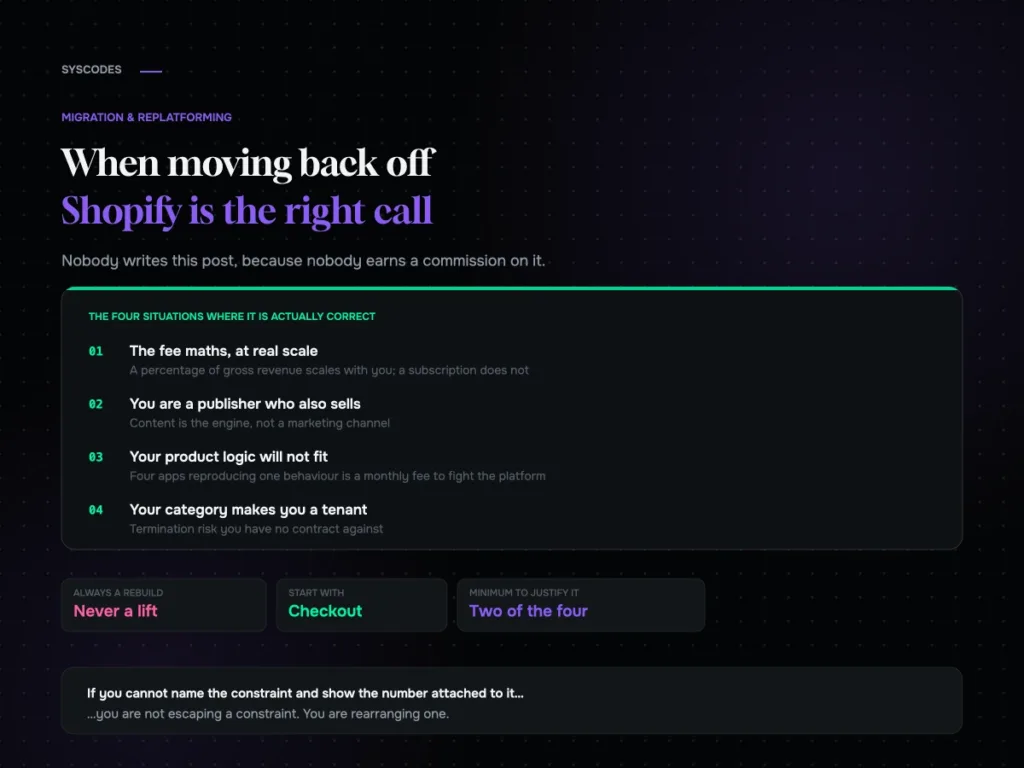
Shopify to WooCommerce: when moving back is the right call
The honest case for moving from Shopify to WooCommerce: fee maths at scale, content-led businesses, product models that will not fit, and category risk — plus…
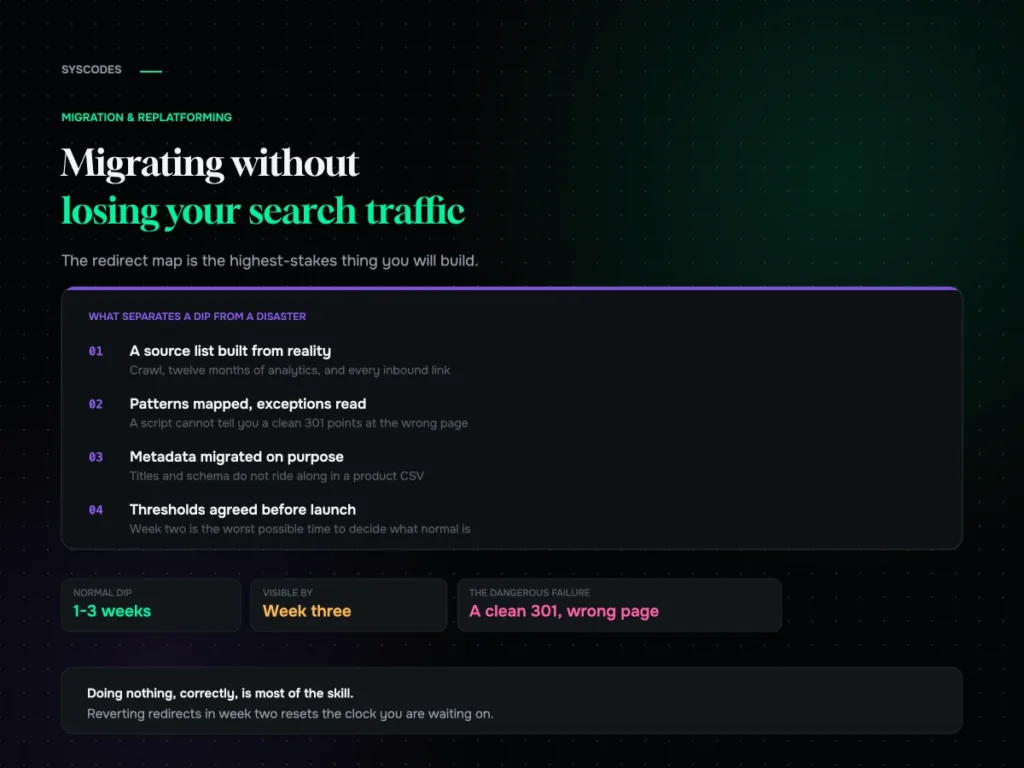
Migrating without losing your search traffic
How to build a redirect map from reality rather than your sitemap, test it in a way that catches the failure no script can see, and…
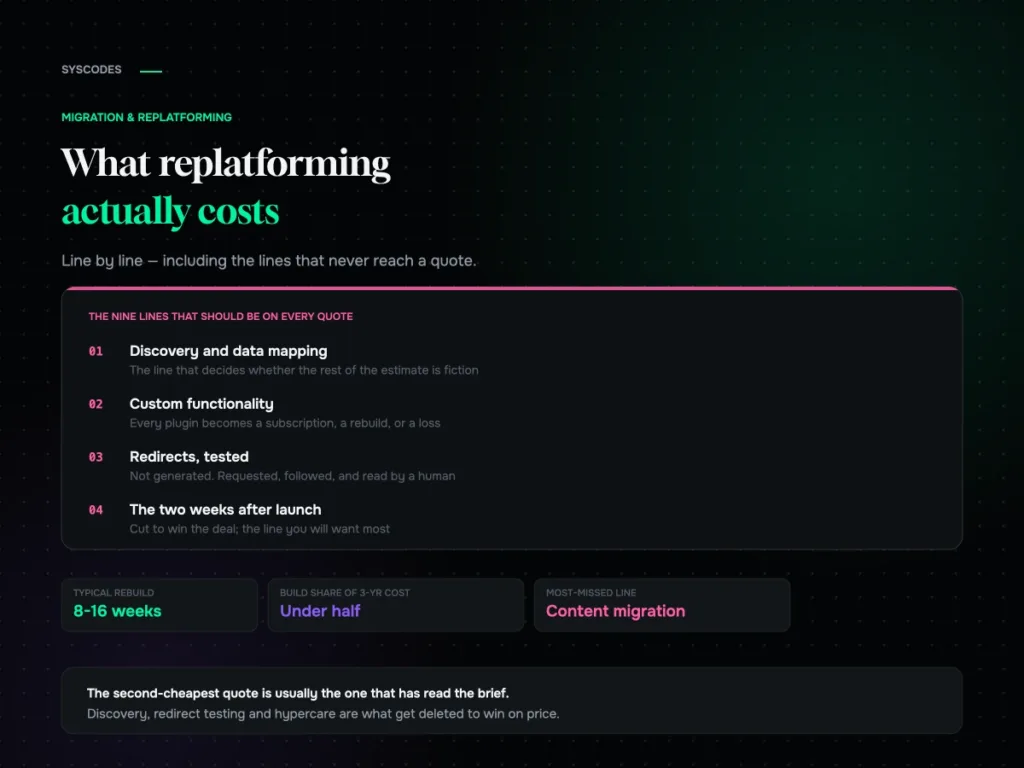
What replatforming actually costs: a line-by-line breakdown
Why replatforming quotes never agree, the nine lines that should be on every one of them, what actually moves the number, and the three-year cost most…
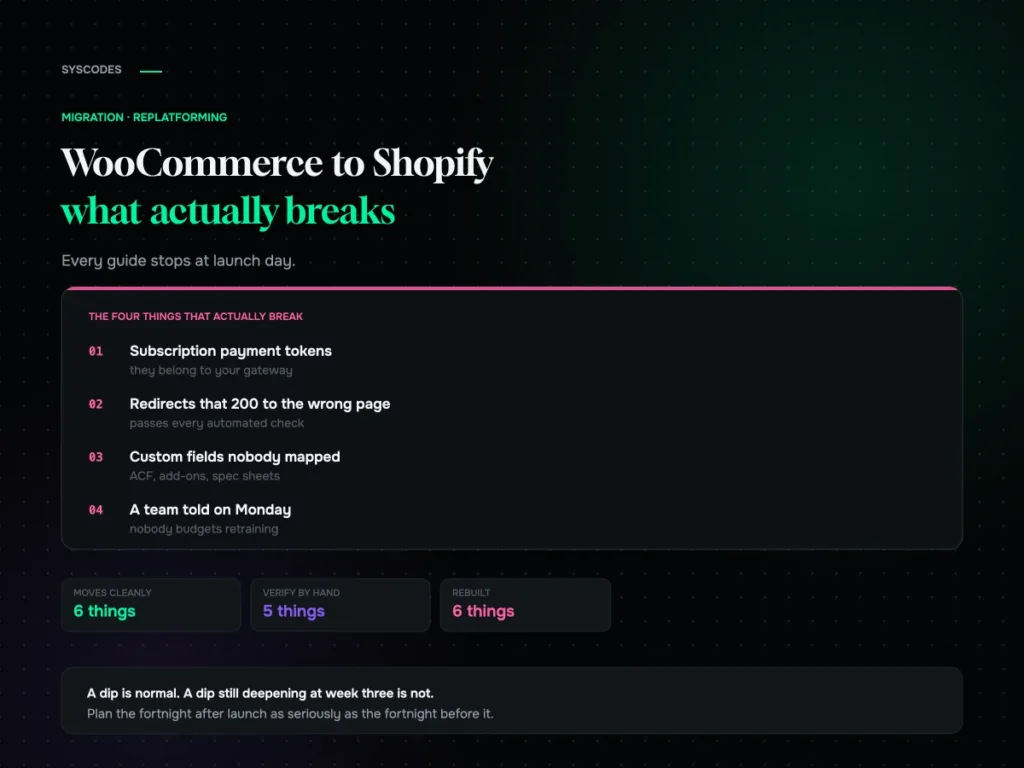
WooCommerce to Shopify migration: what actually breaks
What genuinely does not transfer, how to test a redirect map properly, what a replatform actually costs, and what the traffic dip should look like in…
