The most expensive assumption in B2B ecommerce is that it is B2C with a login on the front.
It is not. Almost every structural fact changes: who the buyer is, how the price is arrived at, what the catalogue contains, what an order even means, and where the truth about stock and pricing lives. A build that treats those as configuration rather than architecture produces a site that demos well and that your customers quietly refuse to use, continuing to email their orders to your sales desk as they always have.
This is what is actually different, and what to build first.
Five structural differences
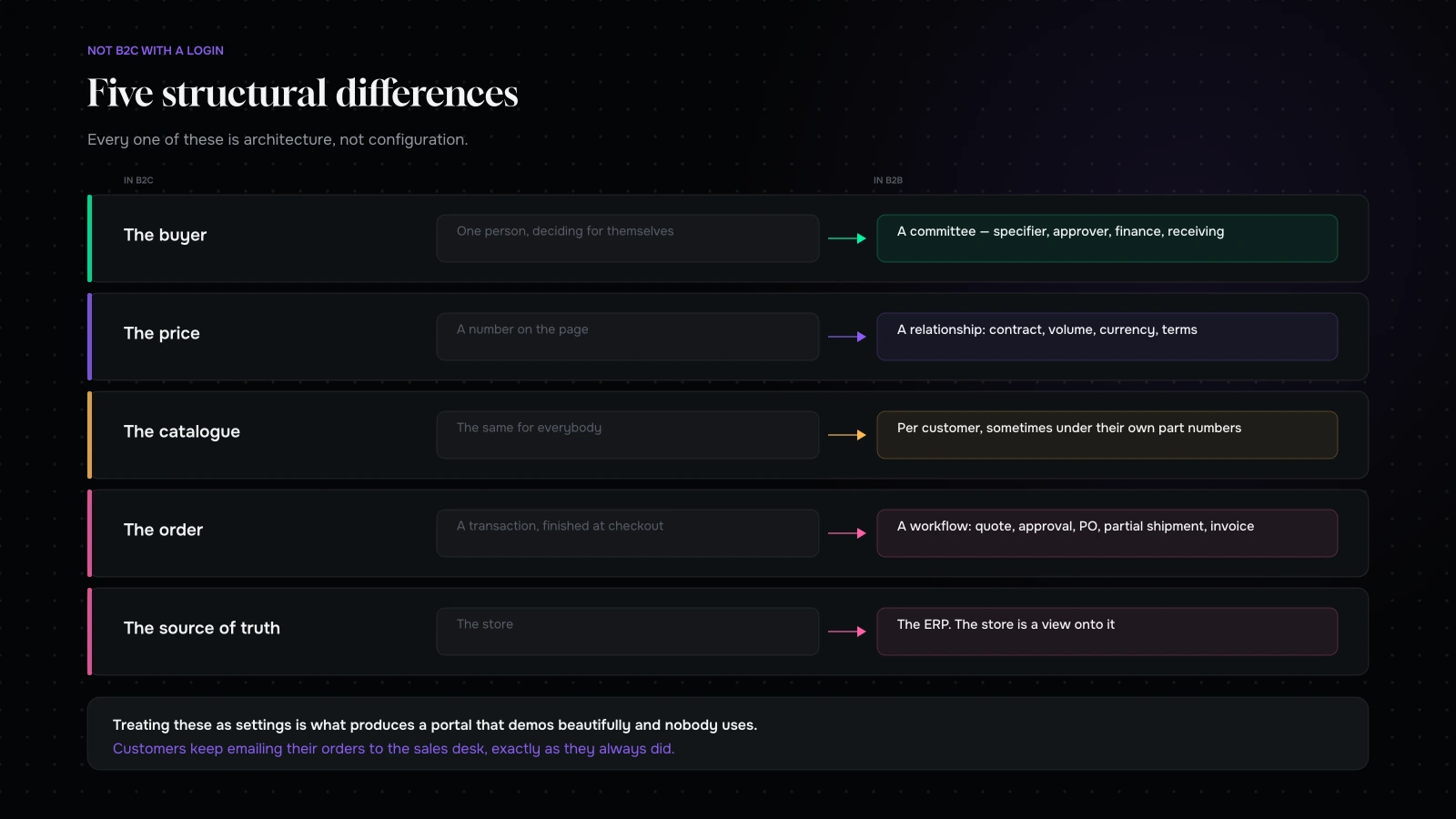
One: the buyer is a committee, and the person ordering is not the person deciding. A specifier chooses, a procurement person approves, a finance person pays, and a warehouse person receives. Your site is used by all four, for different things, and the one who logs in most often is usually the one with the least authority.
Two: price is a relationship, not a number. Contract pricing, volume breaks, customer-specific discounts, promotional pricing, currency, and terms that vary by account. There is frequently no such thing as “the price” — there is the price for this customer, at this quantity, this month.
Three: the catalogue is not the same for everybody. Some customers can buy things others cannot. Some see products under their own part numbers. Some have an approved list they are contractually restricted to. A single public catalogue is not the shape of the business.
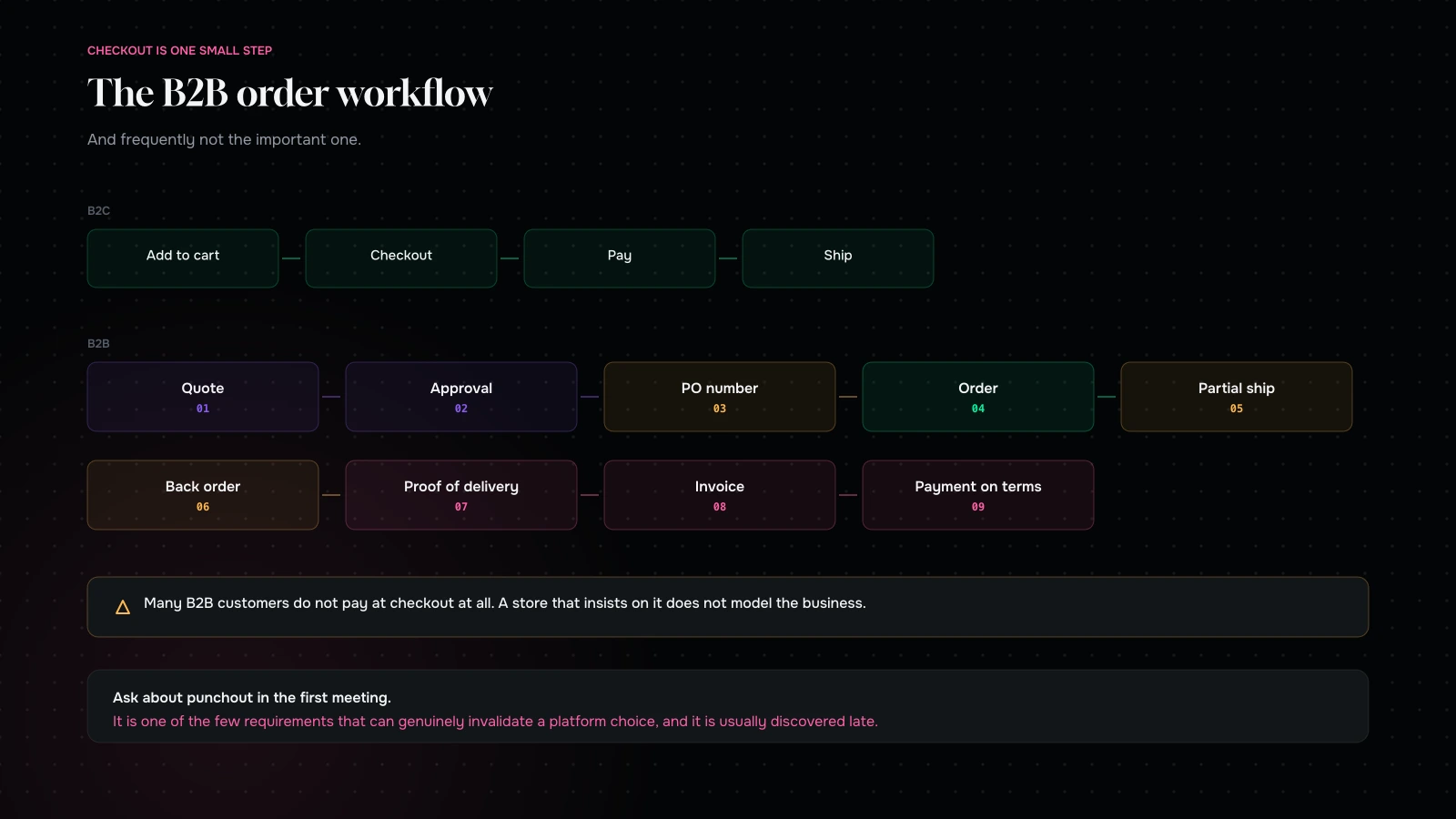
Four: an order is a workflow, not a transaction. Quote, approval, purchase order, partial shipment, back order, proof of delivery, invoice, payment on terms. The moment of “checkout” is one small step in something considerably longer, and it often is not even the important one.
Five: the system of record is somewhere else. In B2C, the store usually owns products, stock and pricing. In B2B, an ERP owns all three, and the store is a view onto it. Building as though the store is the source of truth is the single most common architectural error in this space.
What that changes about the build
Those five differences produce a very different set of priorities.
Authentication and account structure come first, not last. Everything a B2B user sees depends on who they are, which company they belong to, and what role they hold within it. That is not a login page bolted on at the end; it is the foundation the catalogue and the pricing hang off.
Pricing is a resolved value, not a stored one. For each user, each product and each quantity, the price has to be worked out — often by asking another system. Caching, fallbacks, and behaviour when the pricing service is unavailable are real design decisions, and getting them wrong shows a customer a price you cannot honour.
Search matters more than browse. B2B customers usually know what they want and arrive with a part number, a manufacturer code, a previous order, or a slightly wrong version of one of those. Category browsing is secondary. Good search — tolerant of typos, aware of your customers’ own part numbers, and searching within their permitted catalogue — is frequently the highest-value component in the entire build.
Reordering is the product. The most-used feature in almost every successful B2B store is “buy what I bought last time”. Order history, saved lists, quick order by pasting a list of codes, and scheduled reordering are worth more than anything on the homepage.
Documents matter. Invoices, delivery notes, certificates of conformity, safety data sheets, spec sheets. Being able to find and download the paperwork for an order from three months ago is, for a lot of B2B customers, the reason they use the portal at all.
Should you show prices?
The most contested question in every B2B project, and the honest answer is: usually yes, with conditions.
The argument against is real — competitors see them, contract pricing is confidential, and sales wants a conversation before a number. The argument for is that a buyer building a comparison who cannot get a price from you removes you from the comparison, and increasingly they will not call to ask.
A workable middle: show list pricing publicly, show contract pricing to logged-in accounts, and make requesting a quote a genuine, fast, well-designed path rather than a generic contact form. If sales is worried about margin discipline, that is an argument for controlling who sees which price, not for hiding all prices from everybody.
The one situation where hiding prices is genuinely correct is where the product is genuinely configured and no meaningful number exists until somebody has specified it. Even then, publish a starting point and an explanation of what moves it.
The order workflow

Map this properly before designing anything, because it is where B2B builds either fit the business or fight it.
Quote to order. Many B2B relationships start with a quote. If quotes live in a separate system and cannot become orders in one click, your customers will keep phoning.
Approval chains. A buyer places, a manager approves, sometimes a second manager above a threshold. If your site cannot express that, either the approval happens by email — which means your order data is incomplete — or the site is not used.
Purchase order numbers. Frequently mandatory. An order without one cannot be paid. This is a one-field feature that blocks entire customers when missing.
Partial shipments and back orders. Normal in B2B, invisible in most B2C platforms. Customers need to see what shipped, what did not, and when the rest is coming.
Terms, credit and invoicing. Many B2B customers do not pay at checkout at all. They order against an account with a credit limit and pay on terms. A store that insists on payment to complete an order simply does not model the business.
Proof of delivery and documentation. The last mile of the workflow, and often the most-used part of the portal.
Integrations, which are most of the project
In a B2C store, integrations are around the edges. In B2B they are the middle.
ERP is usually the source of truth for products, stock, pricing and customers, and often for orders once placed. The integration design — what syncs, how often, which direction, and what happens when it is unavailable — is the single largest technical decision in the project.
PIM, where one exists, owns product data and specifications.
CRM owns the account relationship and often the quote.
Punchout, if you sell to large organisations. Their procurement system logs into yours, the buyer shops in your catalogue, and the basket is returned to their system for approval. It is a specific, standardised, non-optional requirement for some customers and it is frequently discovered late, at which point it is expensive.
Ask about punchout in the first meeting. It is one of the few things that can genuinely invalidate a platform choice.
The self-service question
Worth naming the underlying tension, because it is usually unspoken.
A B2B commerce project is often, in effect, a proposal to reduce the amount of contact between your customers and your sales team. That is efficient, and it is threatening, and the sales team knows it before anyone says it aloud.
The projects that succeed reframe it: self-service takes the low-value transactions — the reorder, the price check, the document download, the delivery chase — off the sales team so they can spend time where they add value. The projects that fail try to move the whole relationship online and lose both the efficiency and the relationship.
Practically, that means building the boring things first. Reorder, order status, documents, and account admin are what earn adoption. Product discovery and merchandising, which is where the excitement usually goes, matters much less than it does in B2C.
What we would build first

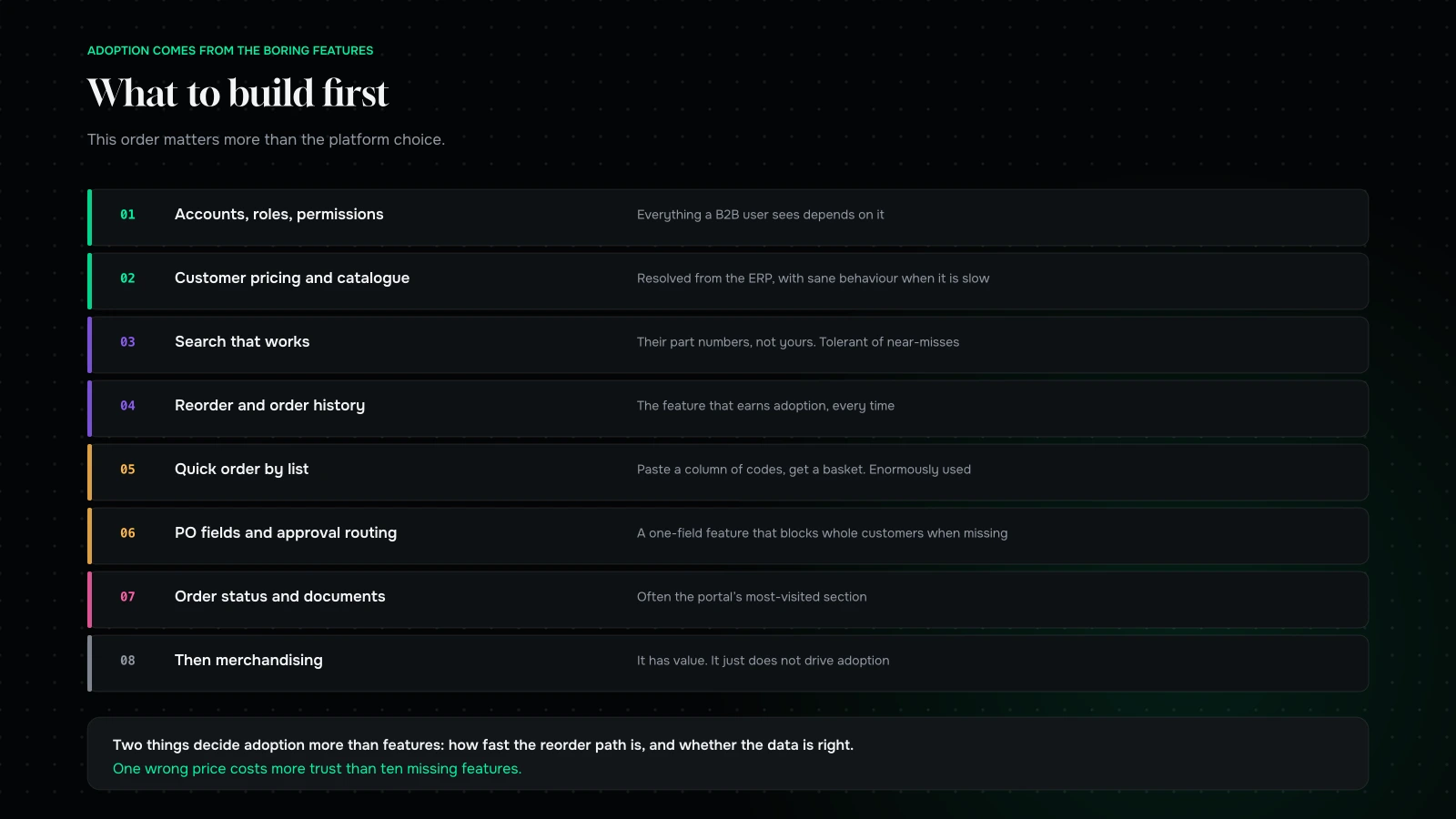
In order, and this order matters more than the platform choice.
Accounts, roles and permissions. Everything depends on it.
Customer-specific catalogue and pricing, resolved from the system of record, with sensible behaviour when that system is slow or down.
Search that works, including your customers’ own part numbers and tolerant of near-misses.
Reorder and order history. The feature that earns adoption.
Quick order by list. Paste a column of codes and quantities, get a basket. Unglamorous, enormously used.
Purchase order fields and approval routing. Whatever your customers’ processes require.
Order status, partial shipments, and documents. The portal’s second job, and often its most-visited section.
Then, and only then, merchandising. Related products, promotions, content. It has value; it just does not drive adoption.

Where B2B builds actually go wrong
Five failure modes, all of which we have been called in to repair rather than to prevent.
The catalogue was built before the account model. Everything a B2B user sees depends on who they are. Build the catalogue first and you will retrofit permissions into every query, every template and every cache, which costs more than building it correctly would have.
Pricing was cached badly. Either it is not cached and every page is slow, or it is cached too aggressively and customers see prices you cannot honour. Both are common. Decide the staleness you can tolerate per price type — list prices can be cached for hours, contract prices usually cannot — and design for the case where the pricing system does not answer.
Nobody mapped the real approval process. The version documented in the procurement policy and the version people actually use are different documents. Ask the buyers, not the policy.
Stock was shown as a number. In B2B, “how many can I have by Thursday” is a different question from “how many are in the warehouse”, because of allocations, in-transit stock and lead times. Showing a raw warehouse figure produces orders you cannot fulfil and a customer who stops trusting the site.
The sales team was not involved until launch. They know which customers order what, which processes are unusual, and which accounts will refuse to change. Excluded, they become the reason adoption fails, and it will look like a technology problem.
The metrics that tell you it is working
Not sessions. Not conversion rate, which means something quite different here.
Share of orders placed through the portal, by account and overall. This is the number. It should climb steadily and it tells you the truth about adoption.
Time from landing to placed reorder. Your best proxy for whether the portal beats the email.
Order-related contacts per account. The point of self-service is that “where is my order”, “what does this cost” and “can you resend the invoice” stop arriving by phone. If they have not fallen, the portal is not doing its job.
Order accuracy. Portal orders should have fewer errors than emailed ones. If they do not, something in your product data or your search is misleading people.
Accounts active in the last thirty days. A portal used by four large customers and ignored by two hundred small ones is a different business case than the headline order share suggests.
Report those five monthly. They will tell you what to build next far more reliably than a feature request list, because in B2B the customers who dislike something usually do not complain — they just go back to emailing the rep.
Buy or build, and the platform question
Three viable shapes, and the right one depends almost entirely on how unusual your pricing and workflow are.
A commerce platform’s B2B capability. The mainstream platforms have moved fast here and for a large share of wholesale businesses this is now sufficient. It gives you company accounts, price lists, quantity rules and payment terms without building any of it. Test it against three real customer scenarios — your actual pricing agreements, your actual approval chain, your actual credit terms — before deciding. Two days of testing settles this better than any comparison article.
A B2B-specific platform. Purpose-built for this, with punchout, approvals and complex pricing in the box. Higher cost, faster to a complete answer if your requirements genuinely match theirs.
A portal built as an application in front of the ERP. Correct when the pricing logic is genuinely bespoke, the workflow has more than one approval step, and the ERP must remain the source of truth for both price and availability. This is a software project, and it should be staffed like one.
The mistake to avoid is choosing based on the product catalogue, which is the part every platform handles. Choose based on pricing complexity and workflow, because that is where platforms differ and where migrations get triggered eighteen months later.
Two things that decide adoption more than features
Speed of the reorder path. Measure it in taps and seconds from landing on the site to a placed repeat order. If it is slower than sending an email to a rep, your customers will send the email — and they will be right to. Under a minute is the target, and getting there usually means saved lists and a persistent basket rather than anything clever.
Whether the data is right. One wrong price or one wrong stock figure costs more trust than ten missing features. B2B buyers are placing orders their own business depends on, and a portal that has been wrong once gets checked by phone every time afterwards. This is why the ERP integration is not a technical detail — it is the entire credibility of the product.
If you are choosing what to spend the last two weeks of the project on, spend it on those two rather than on anything visual.
How to roll it out
Not to everybody at once. B2B portals succeed or fail on the first ninety days of real use, and a wide launch removes your ability to fix things quietly.
Start with five friendly accounts who order frequently and will tell you the truth. Not your biggest customers — your most talkative ones.
Sit with them while they use it. The first order placed by a real buyer, watched in silence, is worth more than any amount of internal testing. You will discover that the part number they use is not the part number you use, and that will be the most valuable finding of the project.
Have the sales team introduce it, not marketing. If a customer’s rep tells them the portal is good, they will try it. If it arrives as an email campaign, it will be ignored.
Give it a reason to be used at least once. Order history loaded from the last two years, so the first visit is immediately useful rather than an empty account they have to populate themselves.
Then widen in waves, fixing between them. A portal that works for five accounts and is then rolled out carefully will beat one launched to everybody in a month.
What it comes down to
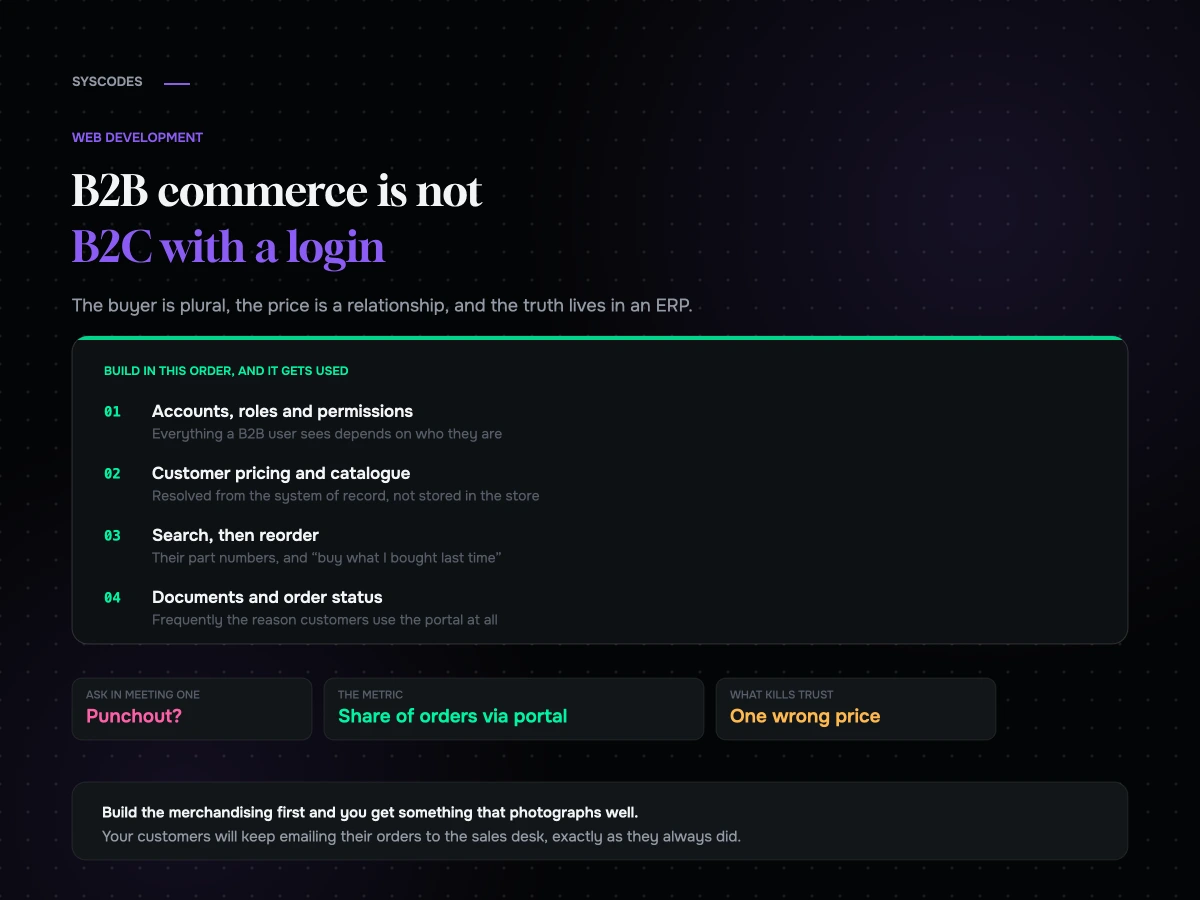
B2B commerce is not a skin on B2C. The buyer is plural, the price is a relationship, the catalogue is per-customer, the order is a workflow, and the truth lives in an ERP.
Build in that order — accounts, pricing, search, reordering, documents — and the portal gets used, which is the only measure that matters. Build the merchandising first and you will have something that photographs well and that your customers keep emailing around.
And ask about punchout in the first meeting.
Planning a B2B build? Send us how your pricing works, what your ERP is, and whether any of your customers require punchout, through the contact form. We will tell you which parts are configuration, which are architecture, and what we would build in the first phase to earn adoption.
You can also read Shopify Plus vs a custom build, or what a custom website actually costs.
Tell us how your pricing works, what your ERP is, and whether anyone needs punchout.
We will come back with which of your requirements are configuration on a mainstream platform, which are genuinely architecture, and what we would build in phase one to earn adoption rather than applause.
If your requirements fit a platform’s B2B capability, we will tell you that — and give you three real scenarios to test it against before you commit.
More on Web Development
Building, briefing and maintaining a website that still works in year three.

Five signs your website is costing you business
Five quiet signs that a website has stopped earning, how to check every one of them in an afternoon with no tools, what each one costs,…
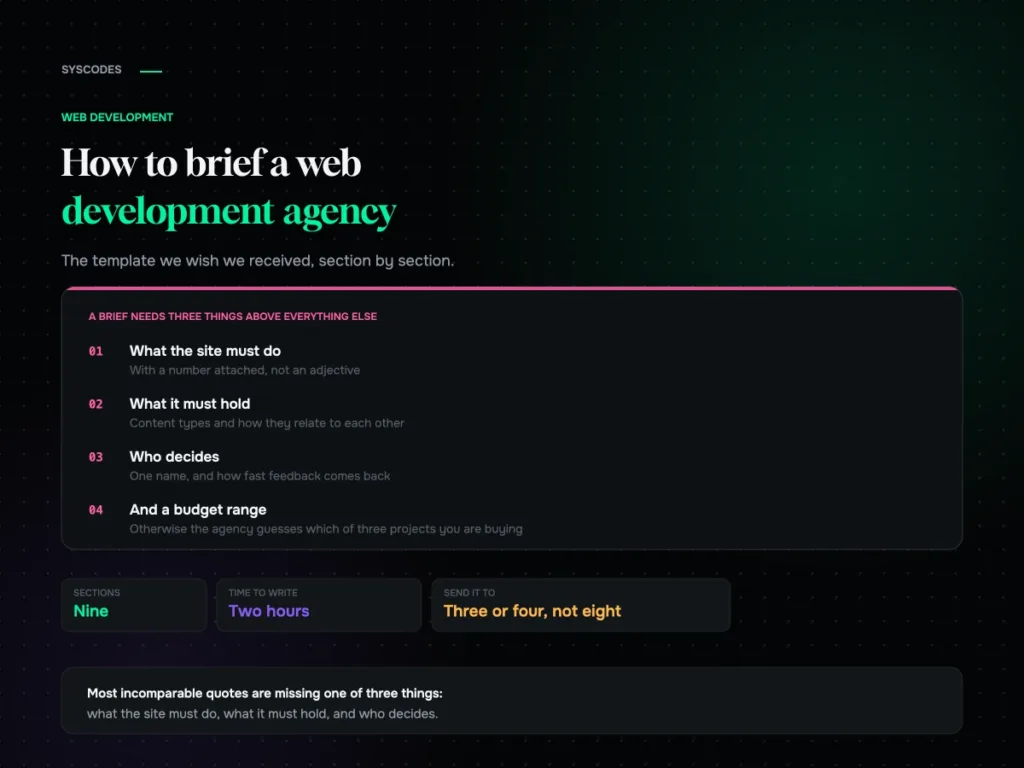
How to brief a web development agency (with a template)
A nine-section website brief template, why a budget range helps you, the five details that make quotes comparable, what not to include, and how to read…
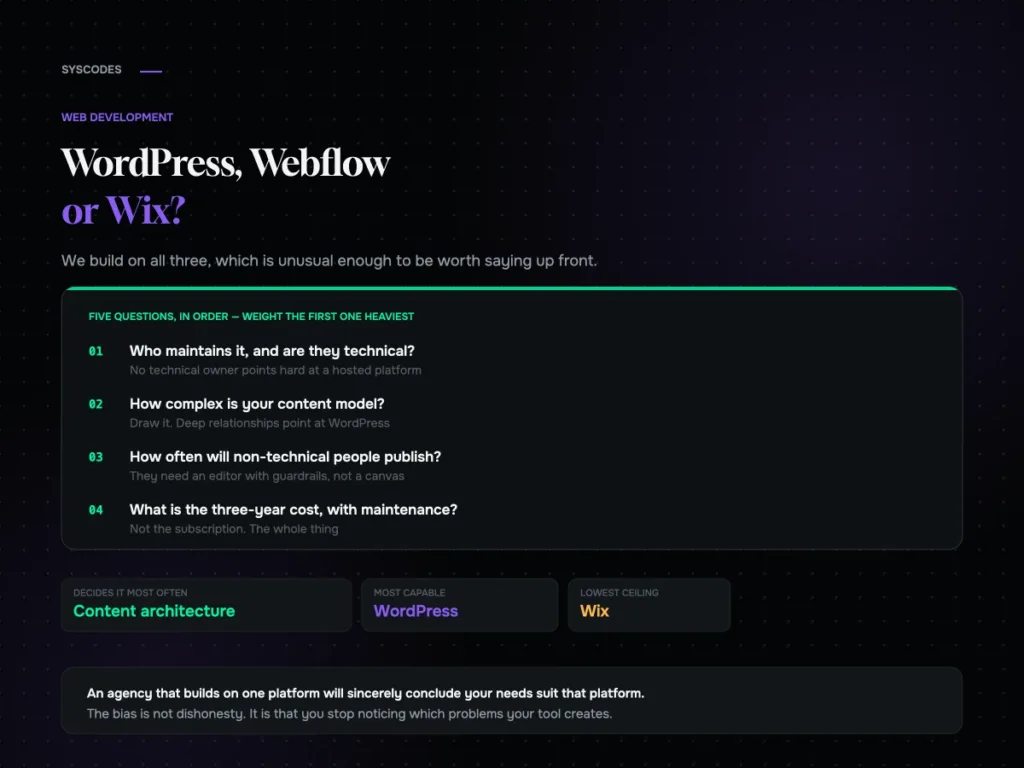
WordPress vs Webflow vs Wix for a growing business
A neutral comparison of WordPress, Webflow and Wix: what each genuinely wins on, where each hurts, the content-model test that settles it, lock-in, and three-year cost.
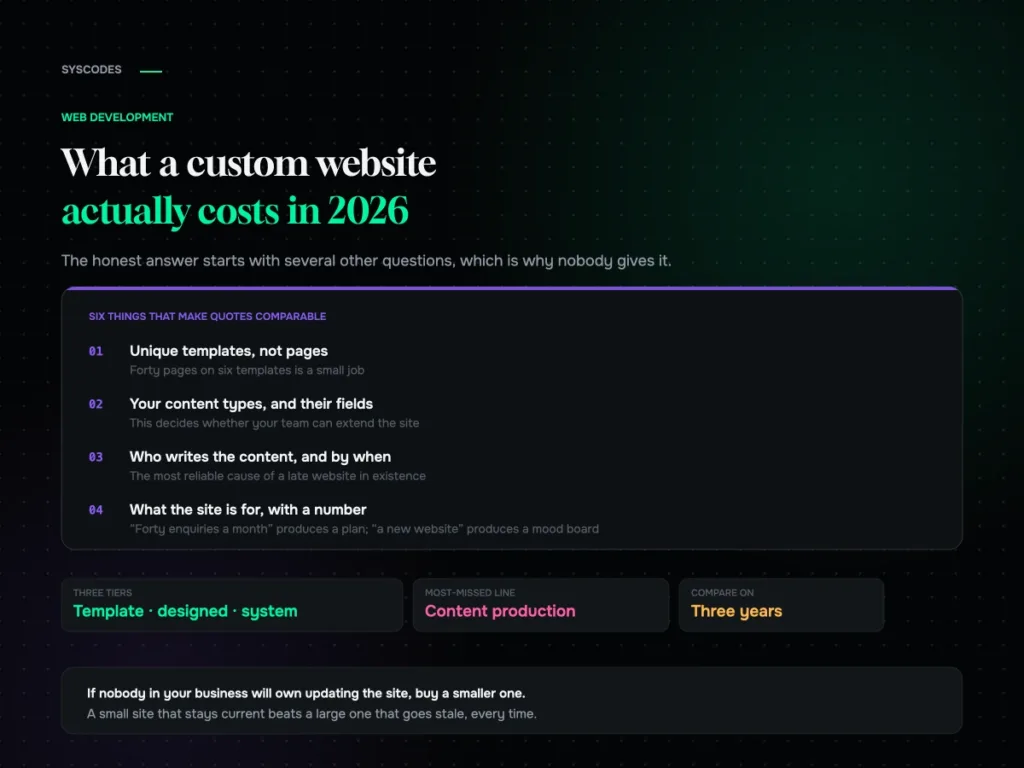
What a custom website actually costs in 2026
The three tiers of website project, the nine lines on every quote, what genuinely moves the number, what a cheap quote quietly removes, and the three-year…